Commercial Real Estate
BOMA Area Calculations: Why Your Rentable Square Footage May No Longer Hold Up
September 2026
SmartScanz Editorial
7 min read
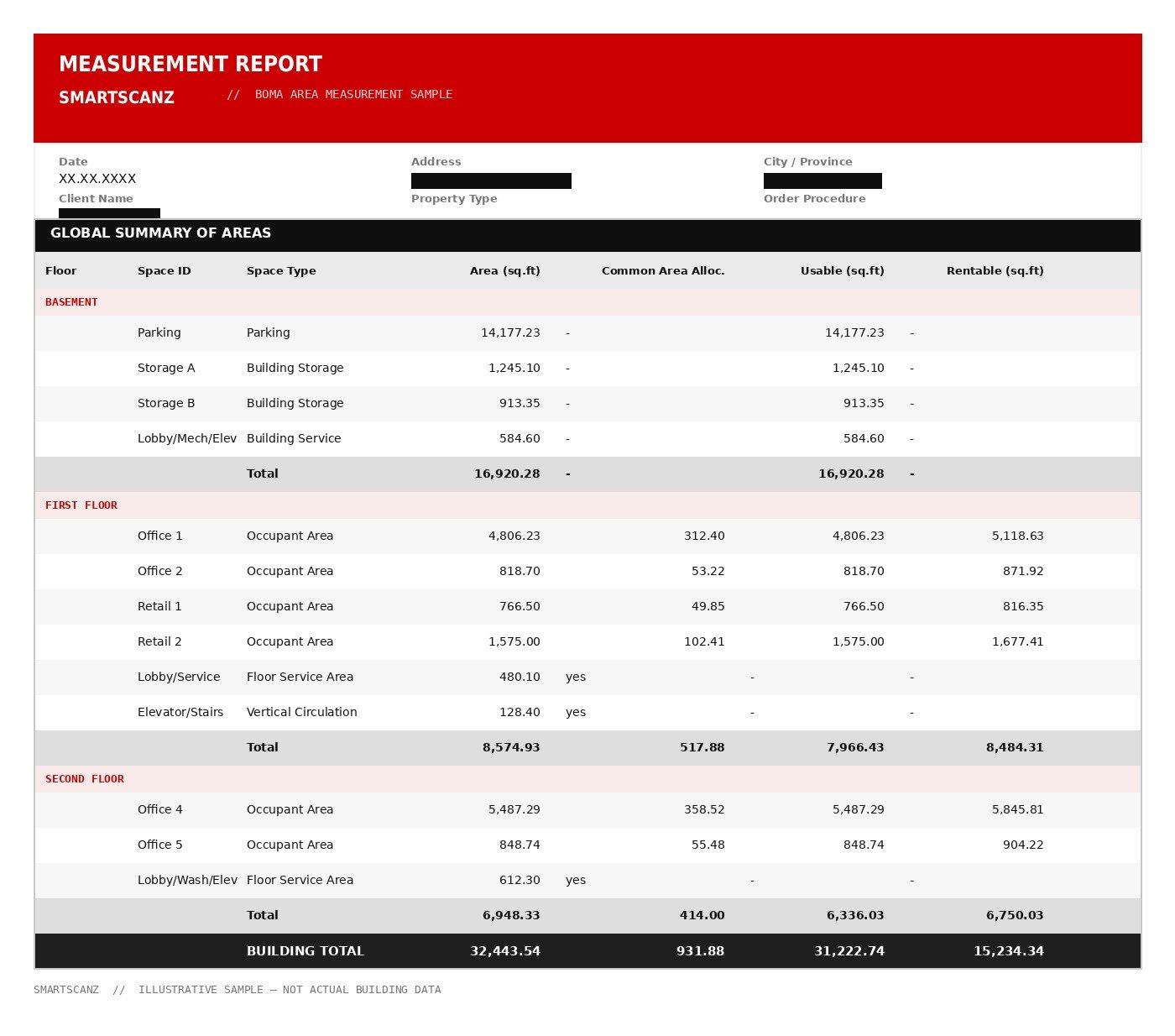
The rentable square footage on a lease isn't just a number — it's what determines how much space a landlord can legally lease, how operating expenses get split across tenants, and what a property is worth on paper. When that figure comes from a decades-old drawing, or from a measurement standard that's since been superseded, it's not a neutral estimate anymore — it's a number a tenant's broker can challenge, and challenge successfully.
Why this matters right now: The measurement standard itself has changed. BOMA International replaced the 2017 office standard with BOMA 2024 for Office Buildings (ANSI/BOMA Z65.1-2024), and introduced a new third edition for mixed-use properties, ANSI/BOMA Z65.6-2026, replacing the 2021 edition. A rentable area figure calculated under either older standard is worth confirming before your next lease renewal, refinancing, or valuation.
What a BOMA Calculation Actually Measures
A BOMA calculation applies the ANSI/BOMA measurement standard to a building to produce its rentable and usable square footage — the industry-recognized basis for leasing, expense allocation, and valuation. It works by classifying every part of a floor plate into a category (tenant area, common area, vertical penetrations like elevators and stairs, service and amenity space) and applying that standard's formula for how shared space gets allocated back to individual suites. The result is meant to be a defensible figure, not an estimate — one that holds up if a tenant's broker or an appraiser questions it.
Two Standards Changed — Here's Who Needs to Care
Office buildings: BOMA 2024 (ANSI/BOMA Z65.1-2024) superseded the 2017 edition in March 2024. It clarifies how several space types are measured and expands how unenclosed areas — rooftop tenant equipment areas, grade-level patios — get treated. If your building's rentable area was last calculated under the 2017 method, or an older one still, it's worth confirming those figures hold up under the current standard before your next renewal or refinancing.
Mixed-use properties: ANSI/BOMA Z65.6-2026 is the current standard for buildings combining office, retail, and residential space under one roof, replacing the 2021 edition. It refines how shared common areas get proportionately split across the building's different components. A mixed-use property still measured under the office-only standard — or the outdated 2021 mixed-use edition — is a strong candidate for a fresh calculation.
Why Field-Verified Data Matters More Than the Formula
The BOMA formula is only as accurate as the dimensions fed into it. A building measured by scaling off a decades-old architectural drawing inherits every renovation, tenant fit-out, and demising wall change that was never redrawn — the same problem we see constantly in as-built documentation generally. We calculate BOMA areas from the same registered point cloud we use for as-built floor plans: every wall, column, and demising line measured directly from the building as it exists today, not estimated from a drawing that may no longer match it.
±4mmField Measurement Accuracy
2024 / 2026Current Office & Mixed-Use Standards
1 VisitScan Covers BOMA + As-Built Together
How the Process Works
We confirm which standard applies to the building — office or mixed-use — and which measurement method your leases are structured around, since the standards allow more than one approach to allocating shared space. From there, we capture field-verified dimensions by laser scan rather than scaling off existing drawings, classify every area into its BOMA category, and apply that standard's allocation formula to produce the rentable and usable totals. Where a building's field data is already on file with us from a prior as-built or Scan-to-BIM project, re-certifying against a newer standard doesn't require a full re-scan.
Deliverables
A completed BOMA package includes a floor-by-floor summary of rentable, usable, and load-factor totals across the building; a per-suite breakdown showing tenant, ancillary, and occupant area with key plans; color-coded space classification floor plans showing how every area was categorized; and a signed statement confirming the analysis complies with the applicable ANSI/BOMA standard.
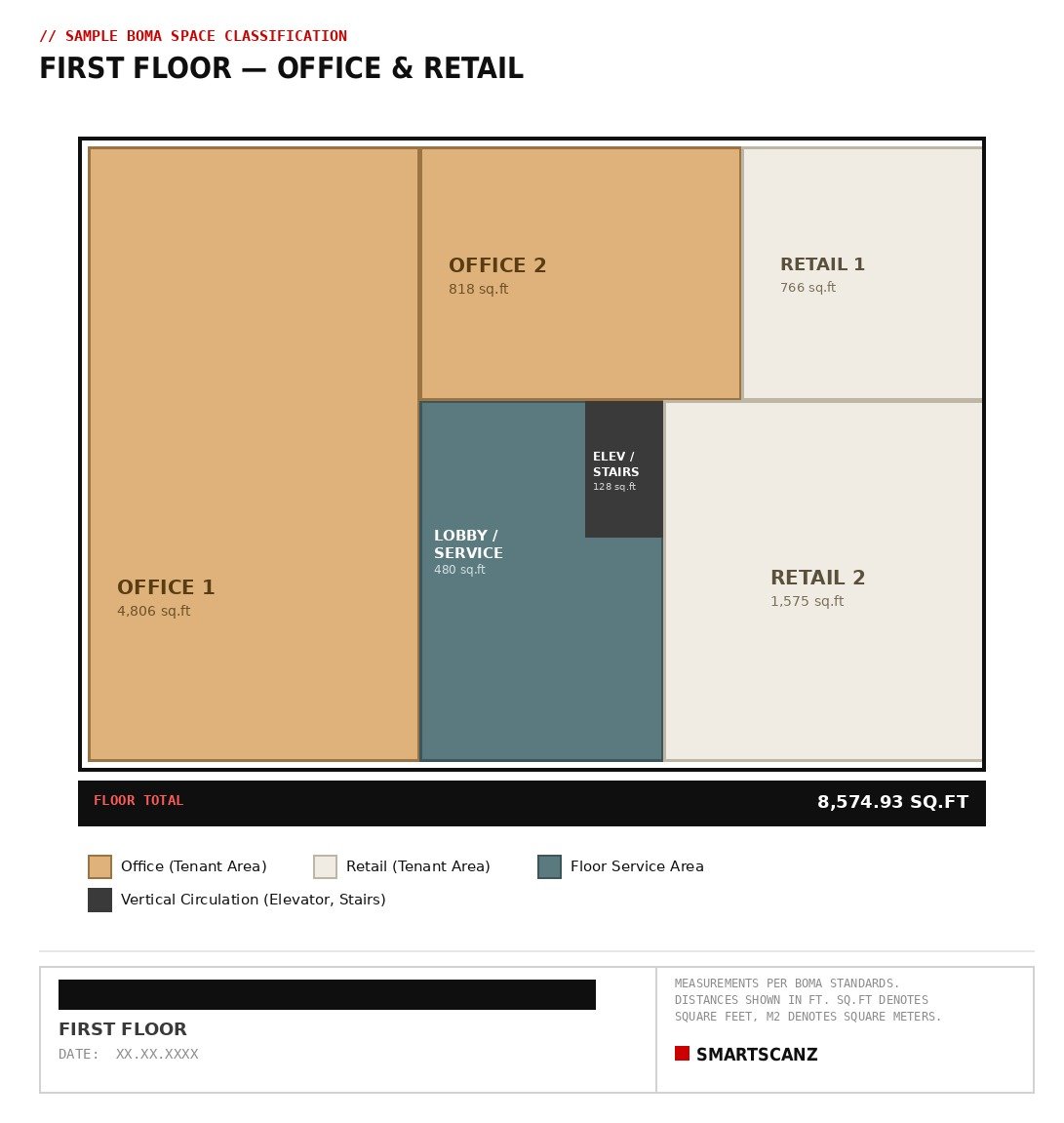
Sample space classification plan — first floor (office & retail).
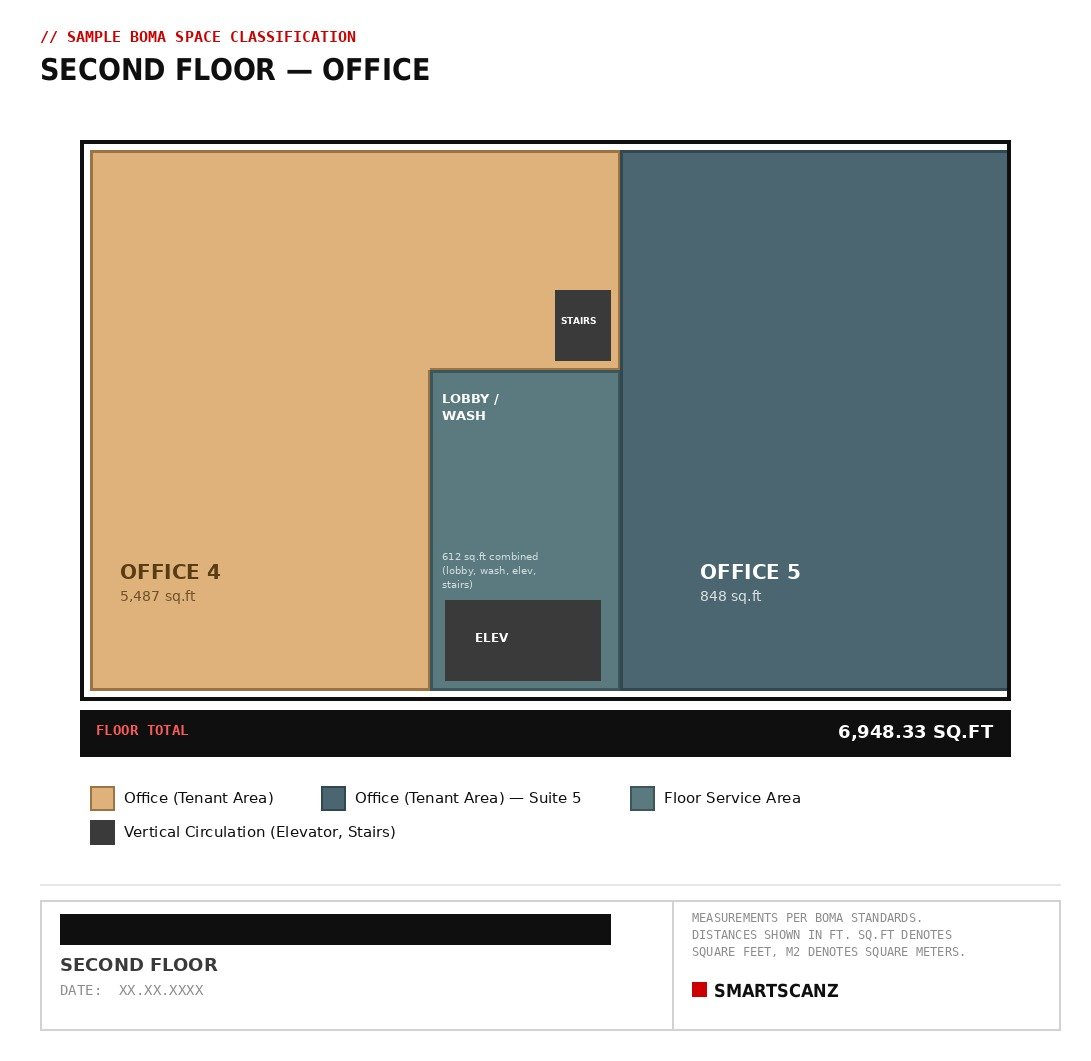
Sample space classification plan — second floor (office).
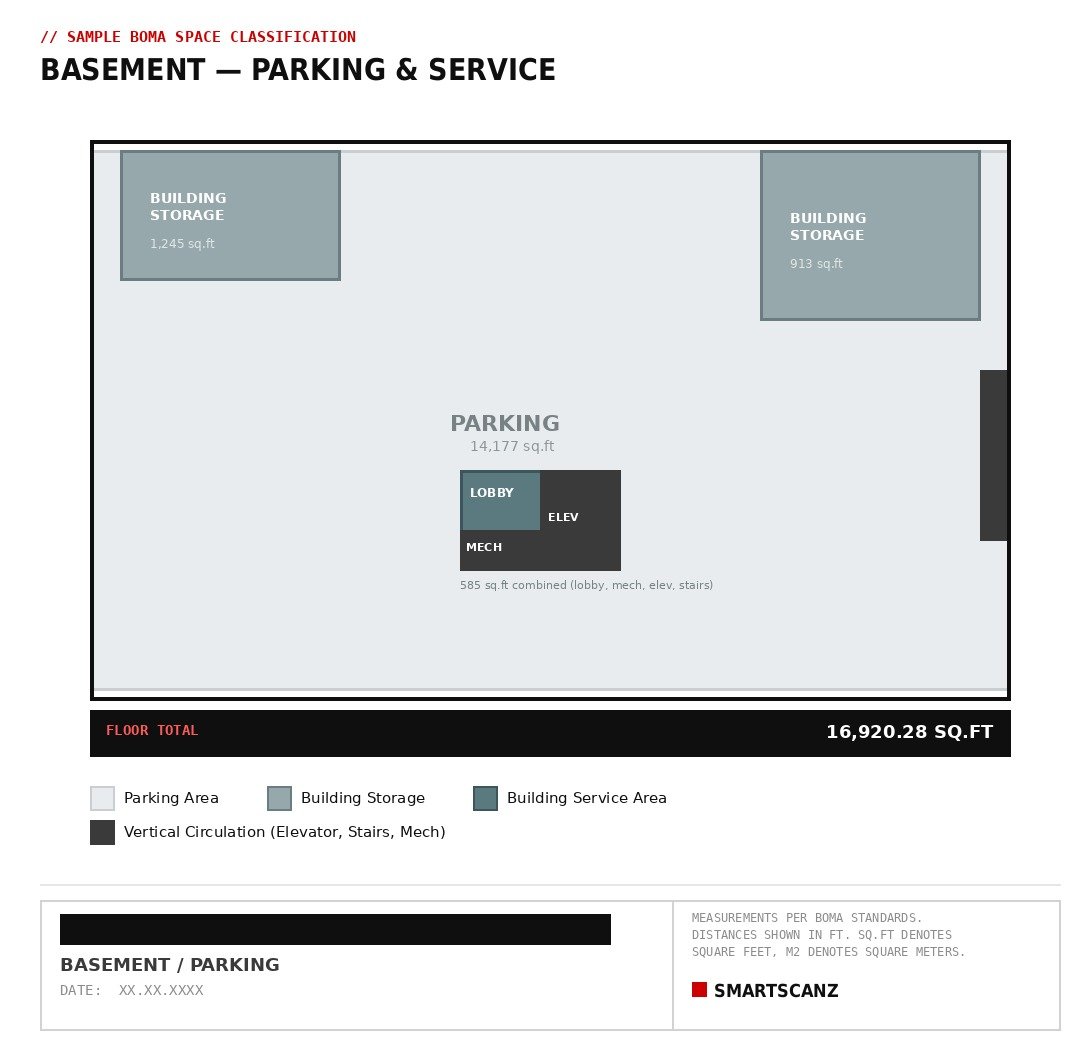
Sample space classification plan — basement (parking & service).
Who Needs This
Property managers and landlords preparing for a lease renewal cycle need current figures before a tenant's broker questions the old ones.
Owners refinancing or selling need a rentable area figure a lender or buyer's appraiser won't challenge.
Leasing teams marketing available space need area figures they can stand behind in negotiation, not a number inherited from whoever measured the building last.
Mixed-use property owners whose buildings were measured under the office-only standard, or the outdated 2021 mixed-use edition, are worth a second look under the current Z65.6-2026 method.
Pricing and Turnaround
Because BOMA scope depends on building size, tenant count, and whether field data already exists on file, we quote each project individually after confirming the applicable standard and method. Typical turnaround runs 5–10 business days from the site visit, depending on building size and tenant count — faster where existing scan data from a prior project is already on file.
Not sure whether your building's BOMA figures still hold up under the current standard? Visit our BOMA Calculations page for full pricing details, sample deliverables, and FAQs — or tell us the property type and we'll send an itemized quote within 24 hours.
See BOMA Calculations →
Industrial & Manufacturing
Scanning Manufacturing Plants: Mapping Piping, Machinery, and Layout Without Stopping the Line
September 2026
SmartScanz Editorial
8 min read
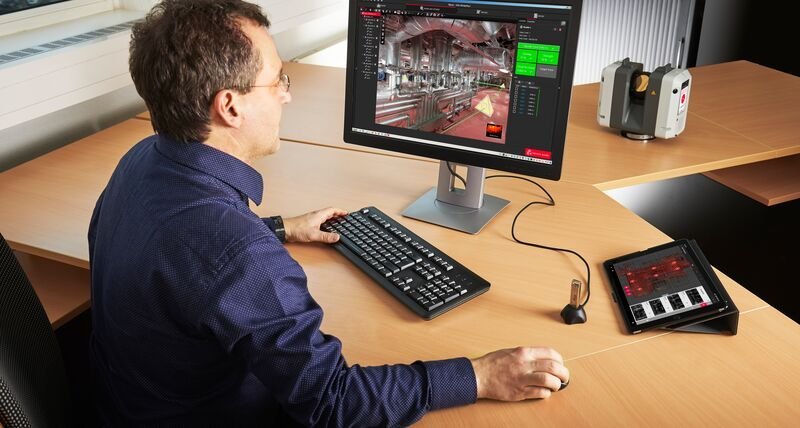
A manufacturing plant's record drawings are almost never right. Piping gets rerouted during a shutdown and the change never makes it back to the P&ID. A new piece of equipment goes in where an old one came out, three inches to the left of where the drawing says it should be. Conduit and cable tray get added over the years by whoever needed to run a line that week. None of it gets surveyed, because surveying a running plant with a tape measure means shutting something down, climbing something, or standing somewhere you'd rather not stand for very long. The result is that most plants are operating on drawings that describe a building that no longer quite exists — right up until someone needs to plan a retrofit, a line move, or a new piece of equipment, and discovers the drawings can't be trusted.
The core advantage: LiDAR scanning captures structure, piping, machinery footprints, and overhead routing from a safe standoff distance, while the plant keeps running — no shutdown, no contact with live equipment, and no one climbing anything they shouldn't.
Why Manufacturing Facilities Are Hard to Document by Hand
Process floors pack an unusual amount of density into a small footprint: piping at multiple elevations, structural steel, mezzanines and catwalks, overhead conduit and cable tray, and machinery with tight clearances that were never meant to be measured from a ladder. A lot of it is also actively hazardous to survey manually — narrow catwalks, hot pipe runs, live electrical equipment, forklift traffic, and machinery that's running while you're trying to measure around it. Leica Geosystems has documented plants where catwalks narrow to under 16 inches; a hand survey in that kind of space is slow at best and genuinely unsafe at worst. Scanning solves both problems at once: the scanner captures everything in range from a stationary position, so nobody has to get closer to a live process line than a normal walking aisle allows.
What Gets Captured
A manufacturing scan documents the plant as a single, dimensionally accurate dataset: structural steel and building envelope; process and utility piping, including diameter, elevation, and offset from walls or steel; machinery and tank footprints with true clearances to adjacent equipment and structure; overhead conduit, cable tray, and ductwork; and mezzanines, platforms, stairs, and catwalks. Because it's captured as a 3D point cloud rather than a series of hand-taken measurements, nothing gets flattened into a single elevation or approximated because it was awkward to reach — a pipe rack with six levels of piping gets six levels of real data, not an average.
Scanning a Live Facility Without Stopping Production
The question we get asked first on almost every plant project is whether the line needs to stop. It doesn't. Because capture is non-contact and the scanner operates from a tripod in an aisle or walkway, we can scan around running equipment, active conveyors, and staff working the floor without interrupting the process. Where a specific area needs to be quiet or clear for safety reasons — near a robotic cell, for instance — we schedule that portion around a shift change or a planned pause rather than requesting a facility-wide shutdown. Most plants we scan don't lose a single hour of production to the site visit.
0 ShutdownRequired for Most Scopes
±4mmTypical Capture Accuracy
130mRTC360 Usable Range
Equipment We Deploy on Plant Projects
Process floors reward the same range and speed advantages as a warehouse, with more obstruction to work around. The RTC360's 130-metre range and sub-2mm accuracy let us capture pipe racks, structural steel, and overhead routing from aisle positions without weaving between machinery for every setup. In tighter process areas — between skids, inside equipment rooms, along narrow catwalks — the BLK360 Gen2's smaller footprint gets into spaces the RTC360's tripod can't, and the BLK2GO's handheld, walking-capture format covers long pipe runs and mezzanine levels quickly when repositioning a tripod repeatedly would slow the visit down. Most plant projects use two of these together in the same visit.
Deliverables for Plant Engineering and MEP Teams
Raw point clouds are the starting point, not the deliverable most teams actually work from. Depending on scope, we provide dimensioned as-built floor plans and elevations; a registered, navigable point cloud of the full facility; piping and equipment layout drawings referenced to the structural grid, suitable for planning a line move or new equipment placement; and Scan-to-BIM or Scan-to-CAD models at the level of detail a retrofit or expansion project needs, for clash-checking new equipment against existing piping, steel, and clearances before it ever gets fabricated or installed.
Who This Is For
Plant and process engineers planning a line move, equipment swap, or expansion need accurate existing conditions before committing a design to fabrication — catching a clearance conflict on screen is a lot cheaper than catching it on the shop floor.
MEP and mechanical consultants working on piping reroutes, HVAC changes, or utility upgrades need real piping elevations and offsets rather than drawings that haven't matched the floor in years.
EPC firms and integrators bidding on a plant modification project need a defensible as-built to scope and price against, rather than relying on the client's own record drawings.
Facility and reliability managers maintaining a digital record of the plant benefit from a timestamped baseline that can be compared against future retrofits to track what's actually changed over time.
How We Scope and Price a Manufacturing Project
Plant projects vary too much in density, hazard classification, and required level of detail to quote off a flat rate — a single process room and a multi-line production floor are different jobs entirely. What generally drives the number: total floor area and ceiling/mezzanine levels, piping and equipment density, whether the facility requires site-specific safety training or PPE, and whether the deliverable is 2D drawings, a registered point cloud, or a full Scan-to-BIM model for clash detection. We scope every plant project individually after a short call about the space and what the documentation needs to support.
Planning a retrofit, line move, or expansion at a manufacturing or process facility? Tell us the facility size and what the documentation is for — we'll send an itemized quote within 24 hours.
Get a Free Quote →
Heritage & Restoration
Scanning Heritage Buildings: Why Irregular, Centuries-Old Geometry Needs LiDAR, Not a Tape Measure
September 2026
SmartScanz Editorial
7 min read
Heritage buildings and century homes share a problem that new construction doesn't have: nothing about them is standard. Walls have settled out of square over a hundred-plus years. Additions were tied into the original structure at whatever angle made sense at the time. Stonework, plaster mouldings, and window openings were often cut by hand, so no two are quite identical even on the same façade. A tape measure and a set of assumptions about square corners and consistent stud spacing — the shortcuts that make measuring a modern building fast — actively work against you on a heritage structure. Every assumption you carry in is a source of error you can't see until the drawings don't match the building.
The core problem: Traditional measuring methods are built on the assumption that a building is regular — square corners, straight walls, repeating elements. Heritage buildings break that assumption by design and by age. LiDAR doesn't assume anything; it captures the geometry exactly as it exists, irregularities included.
Why Heritage Buildings Break the Assumptions Behind Traditional Measuring
On a modern building, a drafter can measure a handful of key points, assume the rest follows a regular grid, and fill in the gaps with confidence. That shortcut doesn't hold on a building where the original construction predates standardized materials and methods. Wall thickness can vary within the same room. Floor levels can shift by inches between additions built decades apart. Ornamental elements — cornices, mouldings, carved details — are frequently one-of-a-kind, which means there's no "typical" one to measure once and copy across the drawing set. Every one of these irregularities has to be individually located, or the resulting drawings quietly diverge from the real building in ways that only surface once a contractor is standing in front of a wall that isn't where the plans say it is.
The stakes are also different. On a heritage-designated property, a restoration or addition often needs to demonstrate exactly how new work relates to the existing fabric — for a heritage permit, an easement agreement, or a conservation plan. Drawings built on estimated or averaged dimensions don't hold up to that kind of scrutiny.
Field Notes: Testing the Workflow on a 500-Year-Old Façade
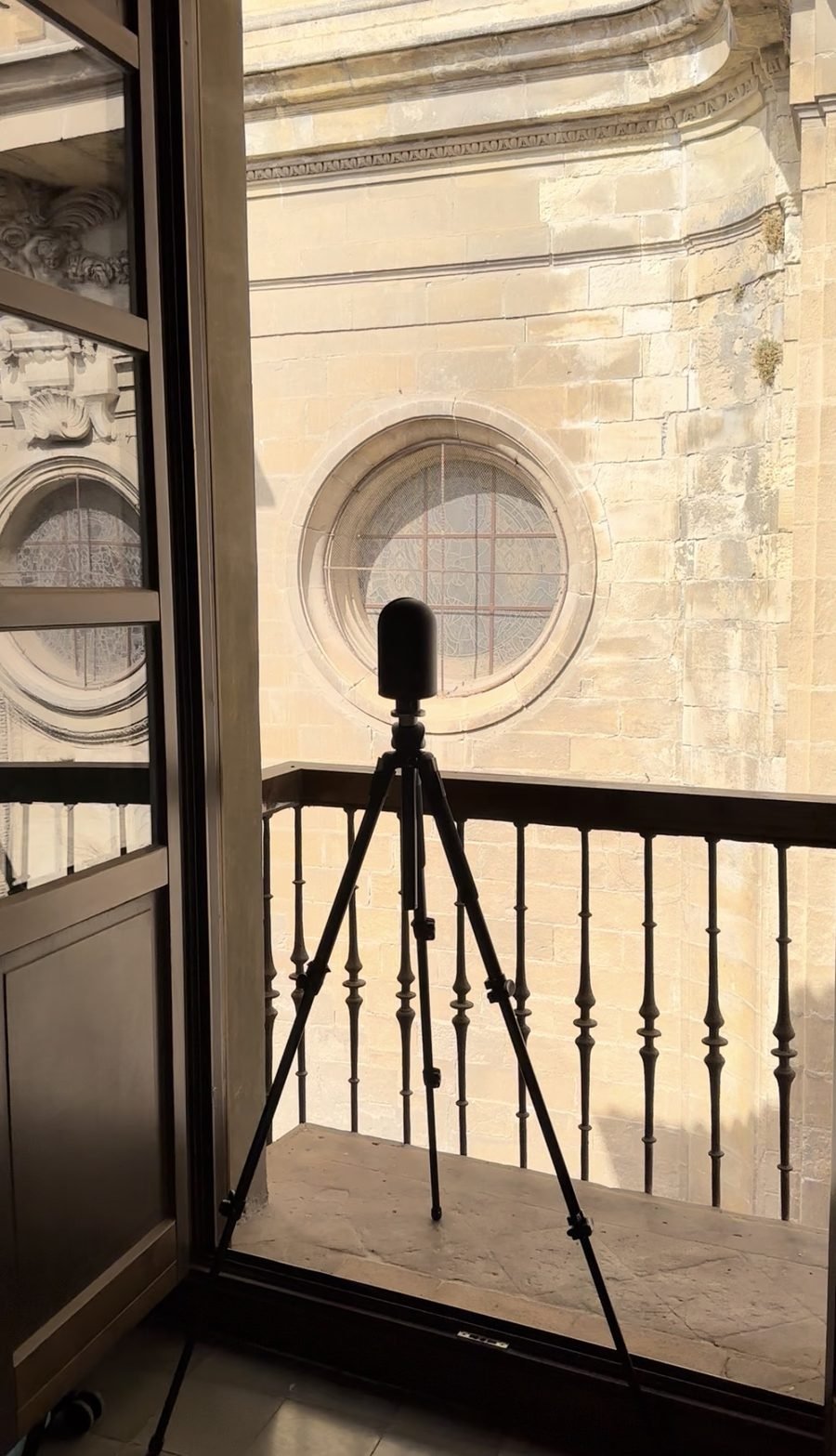
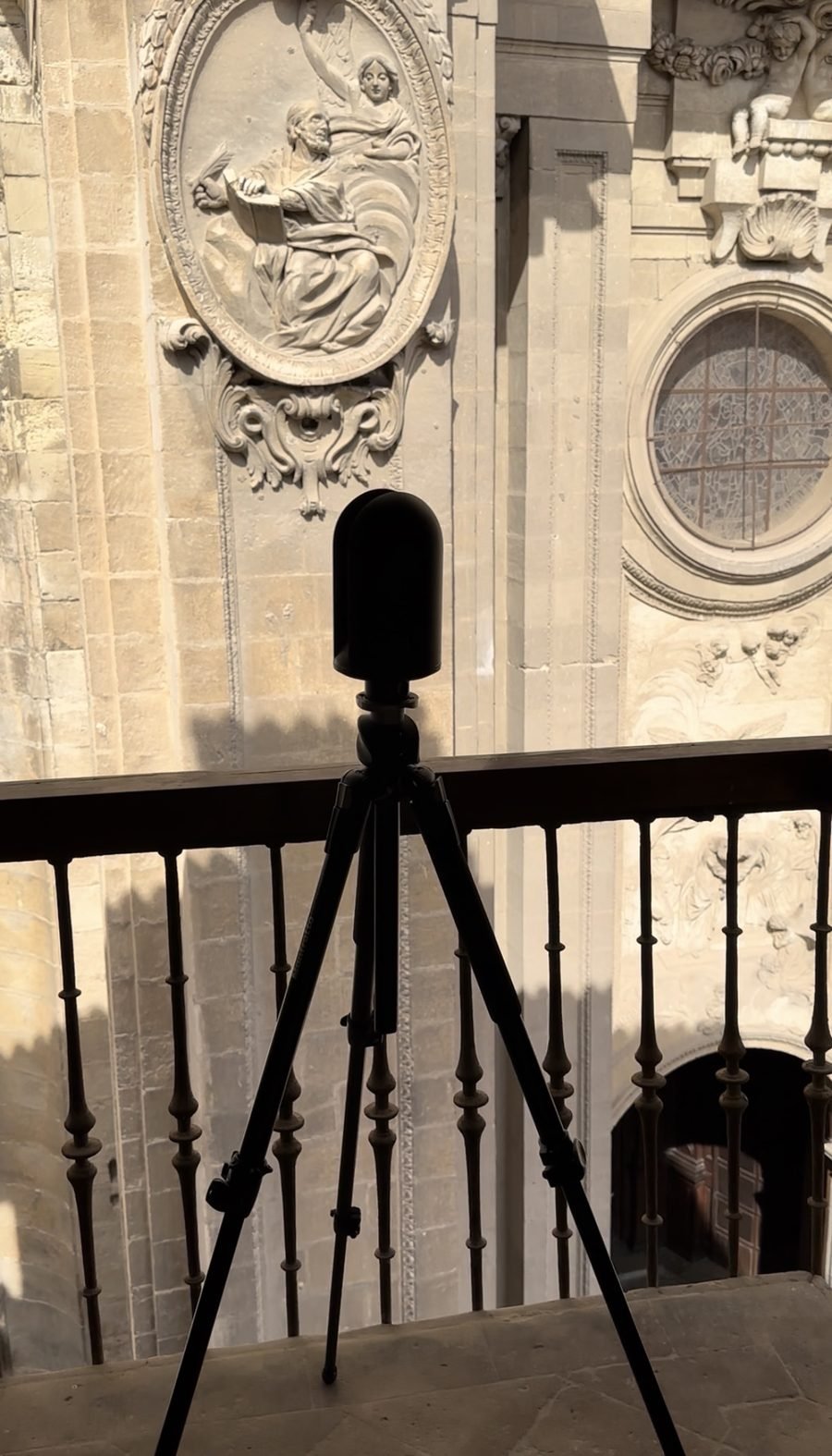
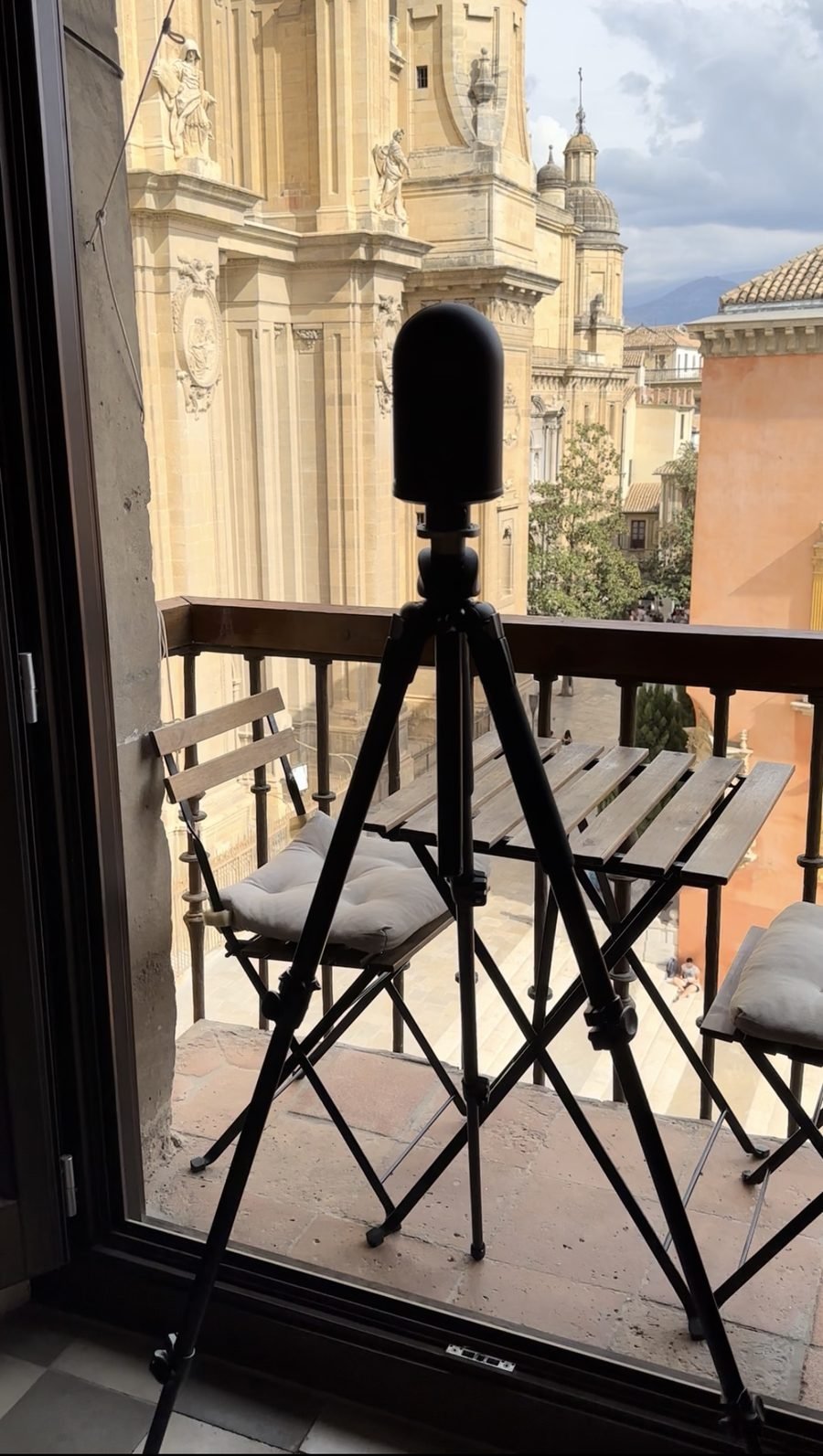
We used a research trip through Spain this year to put our capture equipment up against one of the least forgiving subjects available: the west façade of Granada Cathedral. Construction ran from 1523 to 1704 — 181 years — passing through three architects and a shift from Renaissance to Baroque style partway through. The result is a façade where no two bays are quite the same: hand-carved relief panels, a rose window with ironwork tracery, mouldings that were never meant to be identical from one section to the next. It's the same category of problem as an Ontario stone church or a Victorian-era heritage home, just at a larger scale and with more ornamental density — which made it a useful stress test for the same BLK360 Gen2 workflow we use on heritage documentation projects at home.
Field testing our capture workflow against the west façade of Granada Cathedral (Spain, construction 1523–1704) — hand-carved relief panels, ironwork tracery, and non-repeating stonework across three centuries of construction.
The setups above show the scanner positioned at close range to carved relief work and window tracery — exactly the kind of dense, non-repeating detail that a tape measure and a sketch pad can't practically capture at the level of fidelity a restoration project needs. Every carved panel, every section of ironwork, every irregular joint in the stonework gets recorded in the point cloud at the same accuracy as a flat wall — nothing gets simplified or estimated because it's complicated to measure by hand.
181 YearsCathedral Construction Span
3 ArchitectsRenaissance to Baroque
±4mmLiDAR Capture Accuracy
What This Means for Ontario Heritage Buildings
Ontario's heritage stock — buildings designated under the Ontario Heritage Act, century homes, older stone churches, and pre-war commercial buildings across Kitchener-Waterloo, Cambridge, Guelph, and the surrounding region — carries the same fundamental problem as the cathedral façade, just usually with less ornamentation and lower stakes per square foot. Walls out of square, additions at odd angles, hand-finished details with no repeating pattern. LiDAR scanning captures all of it in a single site visit, at survey-grade accuracy, without requiring anyone to touch or disturb fragile original material — a meaningful advantage on a property where the fabric itself is part of what's being protected.
Deliverables for Heritage and Century Building Documentation
A heritage documentation package typically includes dimensioned as-built floor plans that reflect the building's true, non-square geometry rather than an idealized version of it; elevation drawings where the façade condition matters for restoration planning; a registered point cloud as a permanent, timestamped record of the structure's condition at the time of the scan; and, where a project calls for it, a Scan-to-BIM model that lets an architect or conservation consultant work in software while still referencing the exact as-found geometry. This last point matters most on additions and renovations to designated properties, where new work has to be shown in accurate relation to what already exists.
Who Needs This Deliverable — and When
Heritage consultants and conservation architects preparing a conservation plan or a heritage permit application need drawings that reflect the building as it actually stands, not an assumed regular version of it.
Contractors and restoration specialists pricing and executing repair or restoration work need accurate as-found dimensions before committing to a scope, especially where original drawings don't exist or don't match what's been altered over the years.
Property owners and municipalities responsible for a designated heritage building benefit from having a permanent, accurate condition record — useful for insurance, for future restoration phases, and as a baseline if damage or deterioration needs to be assessed later.
Architects and engineers working on an addition or adaptive reuse project need to know precisely how new construction will meet existing, irregular walls and floor levels.
Pricing for Heritage Building Documentation in Ontario
Pricing depends on building size, the density of ornamental or non-standard detail, and whether elevations and exterior façade work are included alongside interior floor plans. The following are typical starting ranges for a heritage scan, point cloud processing, and dimensioned drawing set.
| Building Type |
Scope |
Typical Range |
| Century home / heritage residential |
Interior floor plans |
$1,200 – $2,800 |
| Century home / heritage residential |
Interior + exterior elevations |
$2,000 – $4,000 |
| Heritage church / institutional |
Interior + exterior |
$3,500 – $8,000 |
| Large heritage / municipal building |
Full site, Scan-to-BIM |
$6,000+ |
What drives the cost up: Dense or highly irregular ornamental detail, exterior elevations alongside interior scope, and a full Scan-to-BIM model rather than 2D drawings alone.
What drives the cost down: Interior-only scope, simpler buildings with fewer additions and alterations, and PDF-only drawing delivery.
The SmartScanz Deliverable
A SmartScanz heritage documentation package is delivered as dimensioned floor plans and, where scoped, elevation drawings, in DWG and PDF, plus the full registered point cloud in your preferred format. Every dimension comes from the scan data — nothing is estimated or squared off to make the drawing tidier than the building actually is. Delivery is within 5–10 business days of the site visit.
We serve Kitchener-Waterloo, Cambridge, Guelph, Hamilton, Burlington, and the Greater Toronto Area. For heritage sites outside this region, contact us for a travel assessment.
Have a heritage building, century home, or older institutional property that needs documenting? Tell us the building's age, size, and what the drawings are for — we'll send an itemized quote within 24 hours.
Get a Free Quote →
Warehouses & Industrial
Scanning Large Warehouses and Multi-Building Commercial Sites
September 2026
SmartScanz Editorial
7 min read
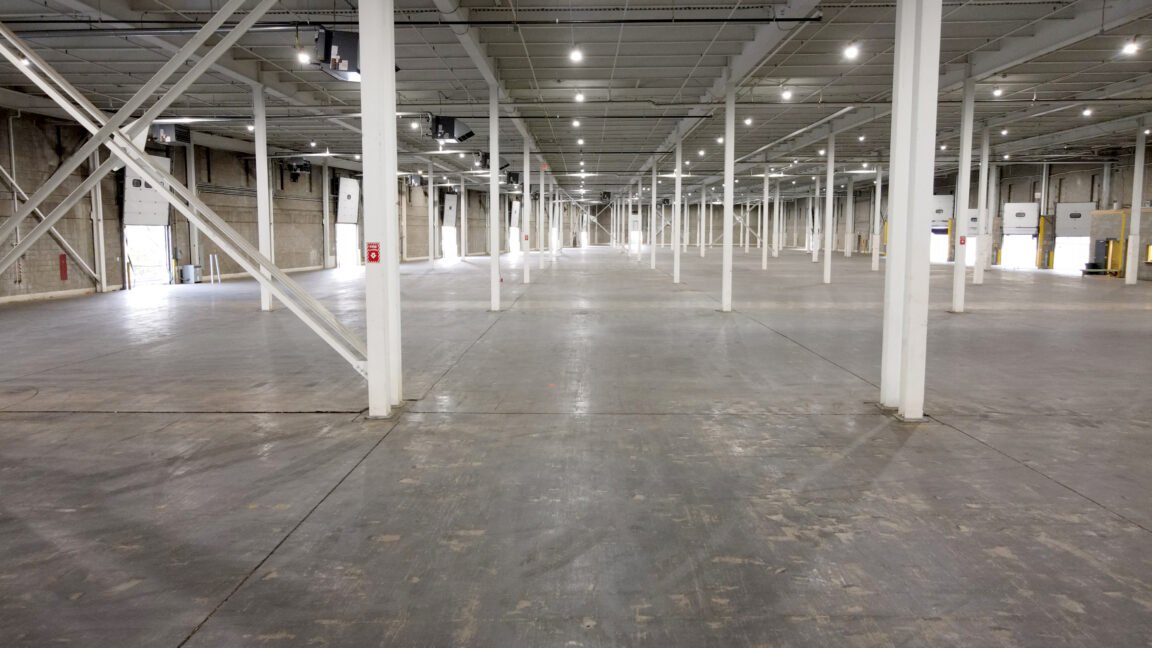
A single-family home and a 100,000-square-foot warehouse-and-office campus aren't the same job scaled up — they're different jobs. Scale changes which scanner makes sense, how many buildings need to be tied into one coordinate system, whether exterior elevations belong in the same visit as the interior, and how the whole thing gets scoped and priced. This article covers how we approach large warehouse and multi-building commercial sites, based on projects we've run recently across the GTA and surrounding region.
The core challenge: Large sites aren't harder because any one room is complicated — they're harder because everything needs to end up in a single, consistent coordinate system across multiple buildings, multiple floors, and often the exterior grounds connecting them.
Why Warehouses Are a Different Scanning Challenge
Open warehouse floors present long, unobstructed sightlines — which sounds easy, but actually raises the bar on equipment. High racking, mezzanine structures, loading dock areas, and active forklift traffic all need to be captured without shutting the facility down. Ceiling heights in warehouse space routinely run 24 to 40 feet, well beyond what's relevant in residential or light commercial work, and structural steel, bar joists, and sprinkler mains at that height all need to register cleanly in the point cloud.
Office components attached to a warehouse — reception areas, second-storey office space, break rooms — are a completely different capture problem in the same building: tighter rooms, lower ceilings, and finished interiors that call for the same room-by-room precision as any commercial interior job.
Scoping a Multi-Building Site
When a project spans more than one building — a warehouse plus a separate office building, for example — the buildings can't just be scanned independently and stitched together later with guesswork. We establish a control network across the site so every building's point cloud registers into the same real-world coordinate system, with exterior scan positions and, where needed, GPS or total station control points tying the buildings together. That's what makes it possible to produce a single accurate site plan showing both structures in their true relative position — not two accurate buildings floating in the wrong place relative to each other.
Why the RTC360 Is the Right Tool for Big Open Floors
On a large warehouse floor, scanner range and setup speed drive the schedule more than anything else. The RTC360's usable range of up to 130 metres and sub-2mm accuracy let us cover a large open floor plate in far fewer scan positions than a shorter-range scanner would need — each position captures dramatically more usable floor area before we have to move. For a recent ~97,000 square foot warehouse-and-office site we scanned in the Burlington area, the RTC360 handled the main warehouse floor and structural steel, while the BLK360 Gen2 covered the finished office interior where tighter, room-by-room precision mattered more than raw range.
130mRTC360 Usable Range
2 ScannersTypically Combined on Site
1 Coordinate SystemAcross All Buildings
Combining Interior and Exterior Capture in One Visit
Multi-building commercial sites often need exterior documentation too — building envelope condition, site grading, parking and access layout, or the relationship between buildings for a future addition or site plan application. Where exterior capture is in scope, we schedule it as part of the same site visit, using exterior scan positions to tie into the same control network as the interior scans. This avoids a second mobilization and keeps the entire site — inside and out — in one consistent, dimensionally accurate model.
Deliverables for Large and Multi-Building Sites
Typical deliverables include dimensioned as-built floor plans per building and per floor, a combined site plan showing building footprints and their true relative position, a registered point cloud covering the full site, and — where required — Scan-to-BIM models for renovation, addition, or tenant fit-out planning. For sites with both warehouse and office space, we produce each in the level of detail that space actually needs rather than applying one drafting standard across a building that doesn't need it everywhere.
How We Scope and Price a Multi-Building Project
Because every site is a different combination of building count, square footage, ceiling height, racking density, and exterior scope, we quote these projects individually rather than working from a flat rate. What generally drives the number: total square footage across all buildings, whether exterior elevations and site grounds are included, the number of separate structures that need to be tied into one coordinate system, and the level of detail required for each building's deliverable. A warehouse-only scan with a basic floor plan output is a very different project from a warehouse-plus-office site with full Scan-to-BIM modeling on the office component — and we scope them accordingly.
Have a warehouse, industrial building, or multi-building commercial site that needs documenting? Tell us the total square footage and number of buildings — we'll send an itemized quote within 24 hours.
Get a Free Quote →
Mission-Critical Facilities
Scanning Data Centres: Documenting Mission-Critical Facilities Without Touching a Rack
September 2026
SmartScanz Editorial
7 min read
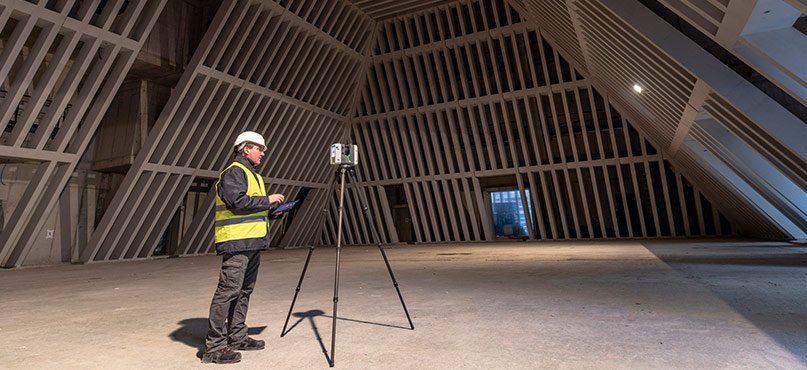
A data centre is one of the few building types where "just get a tape measure and walk through" isn't a realistic option. Every aisle is live. Every cable tray, busway, and CRAC unit is doing something. And the cost of a technician bumping a rack, tripping a breaker, or standing too long in a hot aisle isn't measured in inconvenience — it's measured in an SLA violation. LiDAR scanning exists for exactly this kind of environment: it captures the entire facility as a precise, non-contact record, without a single hand going near live equipment.
The core advantage: A LiDAR scan captures structure, containment, cable pathways, and equipment footprints from a safe standoff distance — no shutdowns, no physical contact with racks or busway, and no risk to uptime while the facility is documented.
What Makes Data Centre Documentation Different
Server halls pack more into less space than almost any other commercial building type, and most of what needs documenting is overhead or underfoot rather than at eye level. Overhead cable tray and busway routing, hot aisle/cold aisle containment panels, in-row cooling units, and structural bracing all occupy the same volume above the racks. Below the raised access floor, power whips, cooling piping, and structured cabling run through a plenum that's rarely drawn accurately anywhere — including in the facility's own record drawings, which drift further from reality with every retrofit and rack swap. A tape-and-clipboard survey simply can't keep up with that density, and it can't be done safely without disturbing equipment.
Equipment We Deploy on Data Centre Projects
Server halls are long, open, and highly repetitive — exactly the conditions where scanner choice matters most. The RTC360 handles the main floor structure: its 130-metre range and sub-2mm accuracy let us capture an entire hall's structural grid, containment, and overhead pathways in a handful of setups, positioned in aisles rather than in front of active equipment. For facilities with dozens of repeating server rows, we bring the BLK2GO to walk each aisle continuously — covering ground far faster than repositioning a tripod row by row, while still resolving individual rack faces and cable drops. On projects involving under-floor documentation, we coordinate scan positions with facility staff to capture the plenum during scheduled tile lifts, without leaving floor sections open longer than necessary.
0 hrsFacility Downtime Required
130mRTC360 Usable Range
±4mmTypical Capture Accuracy
Deliverables Built for Facility and MEP Teams
Raw point clouds are rarely the end goal on a data centre project — they're the starting point for the drawings and models different teams actually work from. We deliver Scan-to-BIM models at LOD 300–400 for mechanical, electrical, and structural coordination; rack elevation and floor layout drawings for capacity planning; overhead containment and cable tray plans referenced to the structural grid; and, where a design-basis drawing set already exists, a deviation report comparing as-built conditions against design intent. That last deliverable matters more in data centres than almost anywhere else — commissioning and capacity decisions made against outdated drawings are a common, avoidable source of costly rework.
Who This Is For
Colocation and enterprise data centre operators planning white space expansion or capacity upgrades need an accurate baseline of existing rack, power, and cooling infrastructure before committing to a build-out.
MEP engineers and consultants working on cooling retrofits, power distribution changes, or containment redesigns need coordinated as-built geometry rather than aging record drawings.
Facility and asset managers conducting condition audits or preparing for a lease transition benefit from a timestamped, dimensionally accurate record of the space as it actually exists.
Due diligence teams evaluating a data centre acquisition need an independent, defensible record of physical infrastructure that doesn't rely on the seller's documentation.
Working Around a Live Environment
Every data centre project starts with a conversation about access — escort requirements, security clearance, PPE, and which zones (if any) are off-limits during the visit. Scans are scheduled around maintenance windows where possible, and our team works from aisles and walkways without opening cabinets, touching patch panels, or interrupting airflow management. Because capture is non-contact and doesn't require power-down, it can typically proceed on a live, occupied floor without any change to the facility's operating state.
What Drives Cost on a Data Centre Project
Because facility size, rack density, containment complexity, under-floor scope, and required level of detail vary enormously between sites, we don't publish a flat rate for this deliverable — it's scoped project by project. What generally moves the number: total white space square footage, whether under-floor plenum documentation is in scope, how many building systems need to be modeled (structural only vs. full MEP), and the level of detail required for the BIM output. A single-room network closet and a multi-thousand-square-foot colocation floor are different projects entirely, and we quote them that way.
Planning an expansion, retrofit, or acquisition audit for a data centre or server room? Tell us the facility size and what the documentation is for — we'll send an itemized quote within 24 hours.
Get a Free Quote →
Equipment & Technology
BLK360 Gen2 vs. RTC360 vs. BLK2GO: Which Scanner Do We Use for Your Project?
July 2026
SmartScanz Editorial
8 min read
One of the most common questions we get before a project starts: what scanner will you actually be using? It's a fair question — not every LiDAR scanner is built for the same job, and the right tool depends entirely on your building's size, layout, and the accuracy your project demands. Rather than relying on a single scanner for every job, SmartScanz operates a fleet of three professional Leica LiDAR scanners — the BLK360 Gen2, the RTC360, and the BLK2GO — and we deploy one, or a combination, based on what the project actually needs. This article breaks down how each one works, how they compare on speed and accuracy, and when we reach for each.
The short version: The BLK360 Gen2 is our precision workhorse for residential and interior work. The RTC360 is our highest-accuracy, longest-range scanner for large commercial and industrial sites. The BLK2GO is our handheld speed scanner for covering large or complex buildings fast. Most projects use one. Larger or more complex projects sometimes use two or three together.
Leica BLK360 Gen2 — Precision & Portability
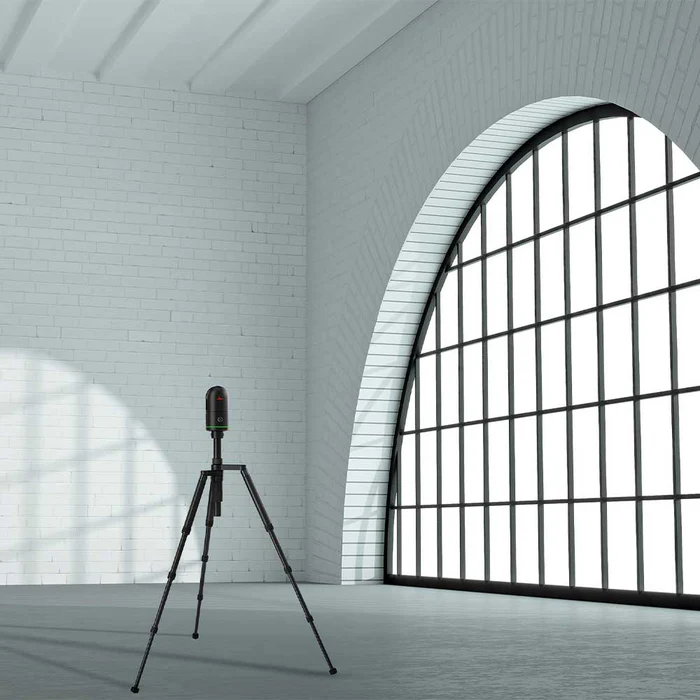
The BLK360 Gen2 is our go-to scanner for residential projects and small-to-mid commercial interiors. It's compact, tripod-mounted, and rated to ±4mm accuracy at 10 metres — precise enough for detailed as-built floor plans, BCIN permit surveys, and Scan-to-BIM work at LOD 300. It captures a full 360° point cloud in under 20 seconds per position, which keeps residential site visits fast without sacrificing the level of detail an architect or contractor needs to actually build from.
Where it shines: tight interiors, room-by-room residential documentation, and any project where portability and setup speed matter more than maximum range.
Leica RTC360 — Speed & Survey-Grade Range
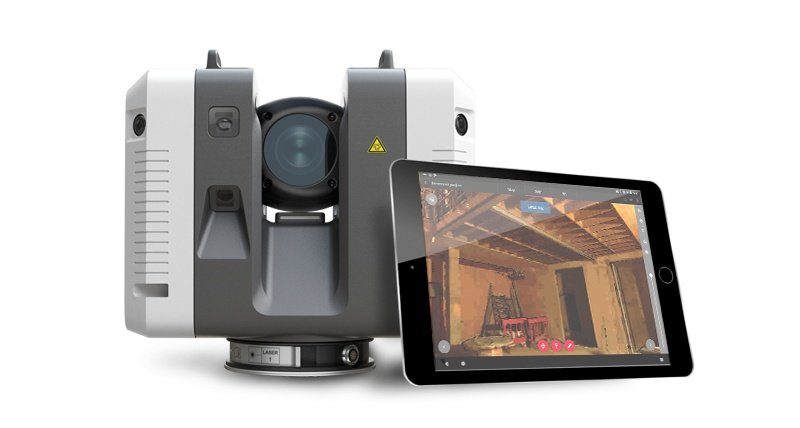
The RTC360 is our highest-accuracy scanner, and it's built for a different scale of project — large commercial buildings, industrial facilities, and structural documentation where both precision and range matter. It captures up to 2 million points per second, with 3D point accuracy as tight as 1.9mm at 10 metres, and a usable range up to 130 metres. A full scan position takes under two minutes, and the scanner automatically pre-registers each scan to the next in the field using Leica's VIS technology — which means less office time spent stitching scans together after the fact.
Where it shines: large commercial floor plates, industrial buildings, warehouses, and any project where survey-grade accuracy needs to hold up across long distances, not just in a single room.
Leica BLK2GO — Walk-and-Scan Mobility
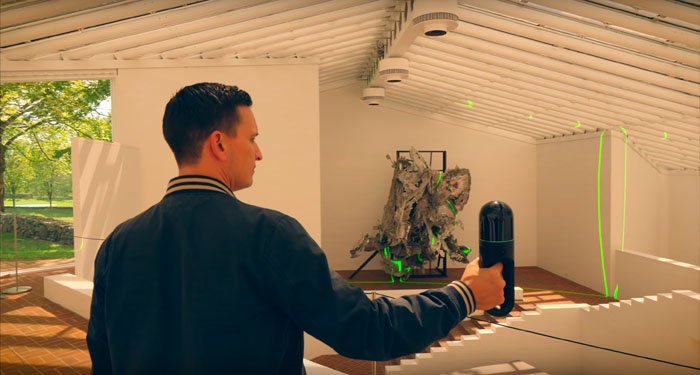
The BLK2GO is a fundamentally different kind of scanner — handheld, with no tripod required. Using SLAM (Simultaneous Localization and Mapping) navigation, our technician simply walks through the building while the scanner continuously captures geometry at 420,000 points per second, with a usable range of roughly 0.5 to 25 metres. That mobility comes with a small accuracy tradeoff compared to the RTC360 or BLK360 Gen2 — typically in the range of 6mm to 2cm depending on site conditions — but it lets us capture an entire multi-floor building, warehouse, or complex layout in a single continuous walkthrough instead of dozens of individual tripod setups.
Where it shines: large or hard-to-access buildings, multi-floor walkthroughs, and any project where covering ground quickly matters more than millimetre-level precision in every corner.
Speed and Accuracy, Side by Side
| Scanner |
Accuracy |
Speed |
Setup |
Best For |
| BLK360 Gen2 |
±4mm @ 10m |
<20 sec / position |
Tripod |
Residential & interiors |
| RTC360 |
1.9mm @ 10m |
2M pts/sec, <2 min/position |
Tripod |
Large commercial & industrial |
| BLK2GO |
~6mm – 2cm |
420,000 pts/sec, continuous |
Handheld, no tripod |
Large or complex layouts |
1.9mmRTC360 Best-Case Accuracy
2M/secRTC360 Point Capture Rate
130mRTC360 Usable Range
How We Decide Which Scanner — or Combination — to Use
We determine equipment during the quoting process, based on your building's size, layout, and what the deliverable actually requires. A single-family home almost always calls for the BLK360 Gen2 — it's fast to set up room-to-room and delivers more than enough accuracy for as-built floor plans and BCIN drawings. A large commercial building or industrial facility often calls for the RTC360, where its longer range and higher point density capture large open spaces in fewer setups. And for buildings with awkward access, long corridors, or multiple floors that need to be captured quickly, the BLK2GO lets us walk the whole space in one pass.
On larger or more complex projects, we sometimes combine scanners in a single visit — for example, using the RTC360 to capture a warehouse floor's main structure at maximum accuracy, then the BLK2GO to quickly sweep connecting corridors and stairwells that don't need the same level of precision. The goal is always the same: you're never paying for more precision than the job requires, and you're never getting less coverage than the project needs.
The Bottom Line
There's no single "best" LiDAR scanner — only the right scanner for a given job. A scanning company that shows up with the same equipment for every project, regardless of size or accuracy requirements, is optimizing for their own convenience, not your project's outcome. Our three-scanner fleet exists so that decision gets made based on what your building actually needs.
Not sure which scanner your project needs? Tell us your building size and what you need documented — we'll recommend the right equipment as part of your free, itemized quote within 24 hours.
Get a Free Quote →
LiDAR Technology & FAQ
How Long Does a LiDAR Scan Actually Take?
July 2026
SmartScanz Editorial
6 min read
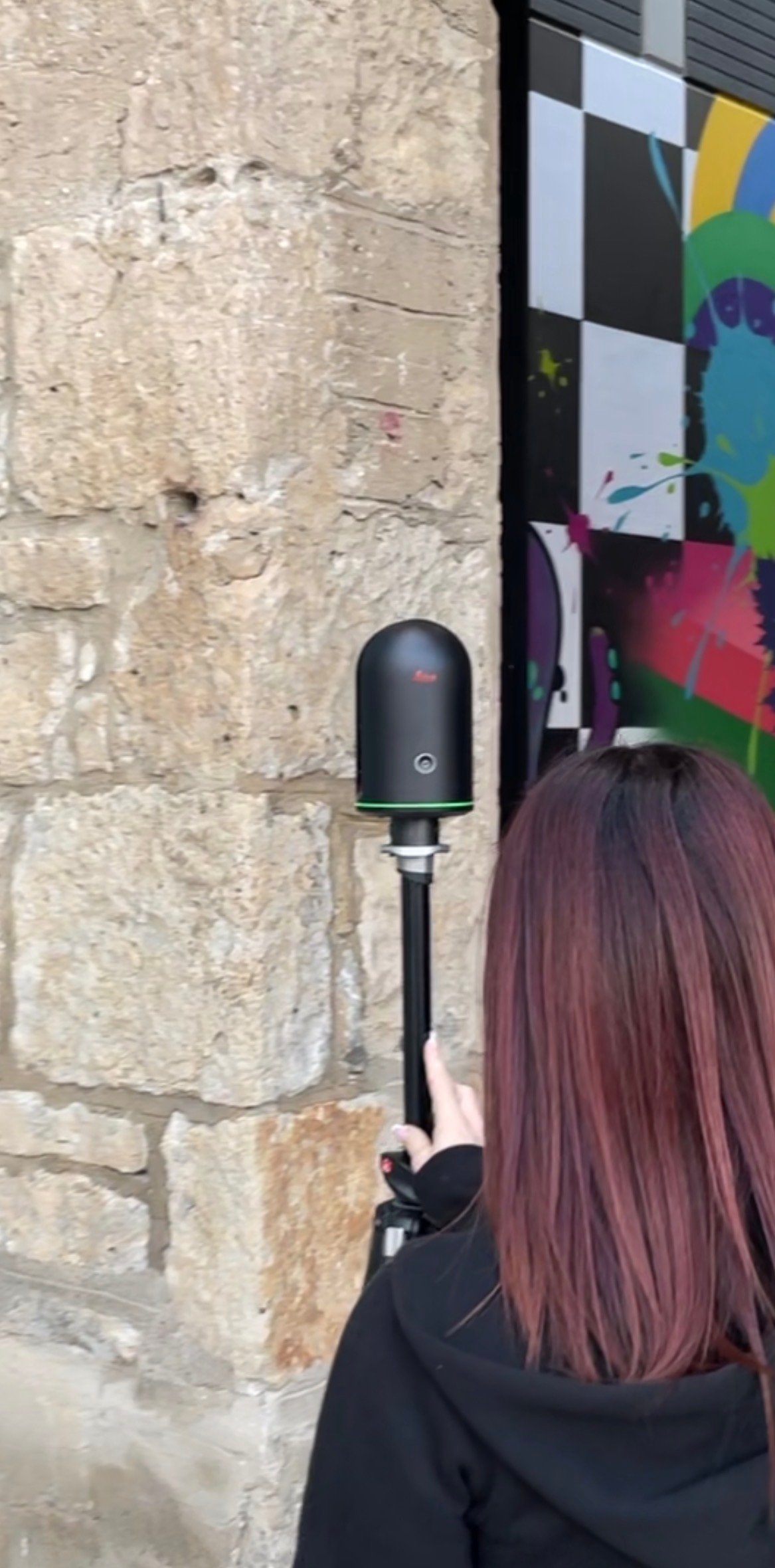
It's one of the most common questions before a project starts: how long is this actually going to take? The honest answer depends on a few key variables — but for most projects it's much faster than people expect.
The Leica BLK360 Gen2 captures a full 360° point cloud in under 20 seconds per position. A typical residential home takes 2–4 hours on site. A small commercial space, 2–6 hours. A large commercial building, 1–3 days. And unlike traditional measuring, it's always a single visit — no return trips for missed dimensions.
Scan Time by Building Type
Single room: 15–30 min. Small residential (under 1,500 sq ft): 1–2 hours. Medium residential: 2–3 hours. Small commercial: 2–4 hours. Medium commercial: 4–8 hours. Deliverables are produced back in the office and typically delivered within 5–10 business days of the site visit.
What Affects Scan Time
Number of floors, complexity of the space, whether exterior elevations are needed, building occupancy, and scan density setting all affect how long we're on site. The full article breaks each factor down with real numbers.
One visit — all data. Everything visible during the scan is captured permanently and precisely. No return trips. No missed dimensions. No follow-up visits.
Get real scan time estimates for your specific project type — plus answers to the most common questions about LiDAR field operations.
Read the Full Article →
Rental & Buyer's Guide
Renting a LiDAR Scanner vs Hiring a Scanning Company — Which Is Right for Your Project?
July 2026
SmartScanz Editorial
7 min read
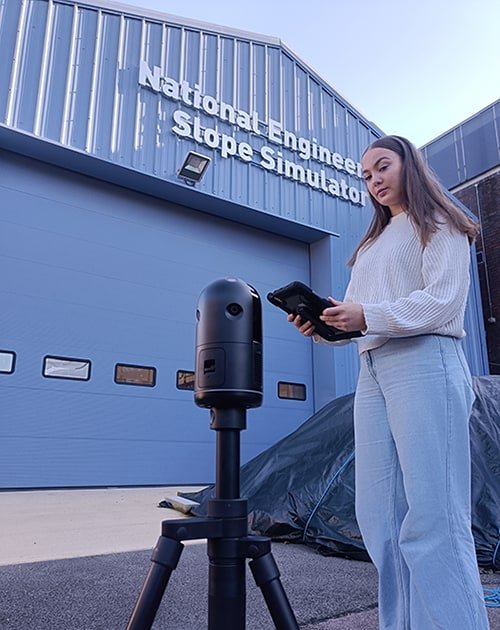
LiDAR scanning has become essential across construction, architecture, engineering, insurance, and renovation. The question most first-time buyers ask is straightforward: should I rent the scanner and do it myself, or hire a professional scanning company to handle everything?
The honest answer is that it depends entirely on your project — what you need to capture, what you plan to do with the data, and whether your budget is better spent on equipment or expertise.
Renting Makes Sense When...
You have in-house staff comfortable with point cloud software, you need to scan multiple sites over several days, or you want the raw data for your own BIM or CAD workflow. Rental starts at $450/day CAD and includes the Leica BLK360 Gen2, tripod, iPad with Cyclone Field 360, and phone support from our team throughout your rental.
Full-Service Makes Sense When...
You need finished deliverables — floor plans, Revit models, elevations — not just raw point cloud files. Or when the project involves insurance documentation, permit applications, or professional accountability. Full-service means our team handles everything from field capture to final outputs.
The Hidden Cost of DIY
Renting looks cheaper per day — but only if you have the capability to use the data. Point cloud processing software, staff time, and the learning curve all add up. If you end up hiring someone to process the data anyway, full-service often costs less overall.
SmartScanz offers both. Scanner rental from $450/day with free local pickup in KW, or full-service LiDAR scanning with finished deliverables. Not sure which fits? Contact us and we'll give you an honest recommendation.
View full rental details, pricing, and kit contents — or get a full-service quote for your project.
Read the Full Article →
Insurance & Restoration
How to Document Property Damage for an Insurance Claim
June 2026
SmartScanz Editorial
8 min read
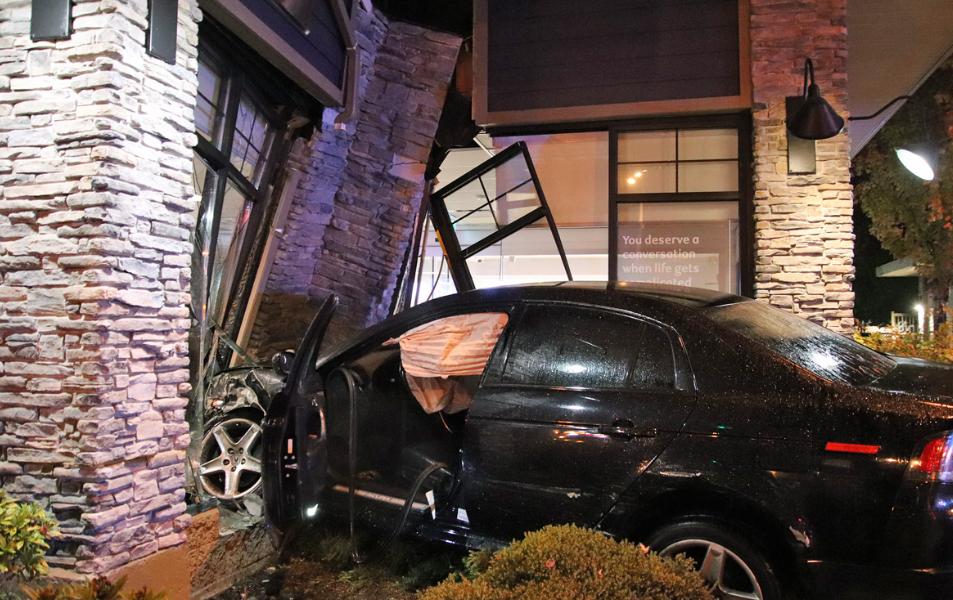
When a vehicle drives through a storefront, a fire tears through a commercial building, or a burst pipe floods a multi-unit residence, the clock starts immediately. Insurance adjusters need evidence. Restoration contractors need scope. Building engineers need structural data. And property owners need documentation that will hold up through every stage of the claims process.
The problem is that traditional damage documentation — photographs, tape measurements, handwritten notes — is incomplete, inconsistent, and increasingly challenged by insurers and legal teams. LiDAR scanning has changed the standard.
Why Traditional Documentation Falls Short
A smartphone photo captures what the camera sees from one angle, at one moment. A tape measure gives you a dimension between two points. Neither tells the full story of structural deformation, displacement, or the true three-dimensional extent of damage across a building. In the context of an insurance claim, incomplete documentation creates disputed scope, missed damage, and no baseline for comparison.
What LiDAR Documentation Captures
The Leica BLK360 Gen2 captures a complete 360° point cloud of the damage scene in under 20 seconds per position — accurate to ±4mm — with full HDR colour overlay. In a single site visit, we document the complete interior and exterior geometry of the damaged structure, exact dimensions of every affected element, visible deformation and structural movement, and the precise footprint and extent of damage. The result is a permanent, timestamped 3D record that can be measured and presented at any point in the future.
Who Uses LiDAR for Property Damage
Insurance adjusters get a defensible, measurement-grade record that reduces disputes and accelerates settlements. Restoration contractors work from accurate existing conditions data, reducing change orders. Structural engineers get precise deformation data that photographs simply cannot provide. Legal teams get timestamped 3D evidence that preserves the scene regardless of what happens to the physical structure afterward.
Rapid deployment: SmartScanz mobilizes across Kitchener-Waterloo, the GTA, Hamilton, Burlington, and surrounding regions. We document the scene before restoration work begins wherever possible.
Need property damage documentation? SmartScanz deploys fast across KW, GTA, Hamilton, and beyond.
Read the Full Article →
Pricing Guide
What Does a Scan-to-BIM Project Actually Cost in Ontario?
March 2026
SmartScanz Editorial
7 min read
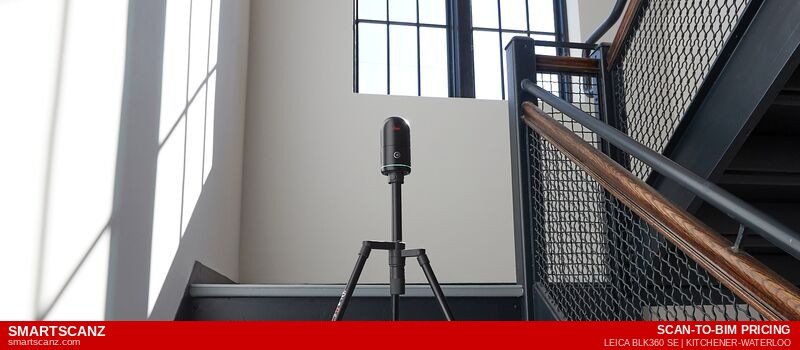
It's the first question almost every architect, contractor, or property owner asks: how much does this actually cost? The honest answer is that Scan-to-BIM pricing in Ontario varies significantly depending on the size of the building, the level of detail required, and what deliverables you need at the end. This article breaks down exactly how pricing works, what drives costs up or down, and what you should expect to pay for a professional Scan-to-BIM project in Kitchener-Waterloo, Toronto, Hamilton, or anywhere in Ontario.
The Two Components of Every Scan-to-BIM Project
Every Scan-to-BIM project has two distinct phases, each with its own cost: the LiDAR scan itself, and the BIM modelling that follows. Understanding each component separately makes it much easier to evaluate quotes from different providers.
The LiDAR scan is the site work — a technician arrives with a professional scanner (like the Leica BLK360 Gen2), captures the building in full 360° detail from multiple positions, and processes the raw data into a registered point cloud. This is charged based on building size and complexity, not time spent on site.
The BIM modelling is the office work — a modeller imports the point cloud into Revit and builds the 3D model element by element. This is where the Level of Detail (LOD) has the biggest impact on cost. An LOD 200 model of the same building costs significantly less than an LOD 350 model.
Key insight: When comparing quotes, always confirm whether the price includes both the scan AND the model, or just one of the two. Many providers quote the scan only and bill modelling separately.
Scan-to-BIM Pricing by Building Size
Here is a realistic breakdown of what a full Scan-to-BIM project — including LiDAR scan, point cloud processing, and Revit model at LOD 300 — typically costs in Ontario:
| Building Type |
Size |
Typical Range |
| Small residential | Up to 2,000 sq ft | $1,200 – $2,500 |
| Medium residential | 2,000 – 5,000 sq ft | $2,500 – $4,500 |
| Small commercial | Up to 5,000 sq ft | $2,000 – $4,000 |
| Medium commercial | 5,000 – 20,000 sq ft | $4,000 – $9,000 |
| Large commercial | 20,000 – 50,000 sq ft | $9,000 – $20,000 |
| Industrial / complex | 50,000+ sq ft | Custom quote |
These ranges assume a standard LOD 300 model with architectural elements (walls, floors, ceilings, doors, windows, stairs). MEP content, structural elements, and higher LOD levels add cost.
LOD 200Lowest cost — massing only
LOD 300Most common — construction docs
LOD 350+Highest cost — coordination
What Drives the Cost Up
Higher Level of Detail. Moving from LOD 200 to LOD 350 can increase modelling costs by 40–80% on the same building. Every additional element — MEP systems, structural connections, millwork details — adds modelling time.
Complex geometry. Buildings with curved walls, irregular floor plates, vaulted ceilings, or significant heritage detailing require more scan positions and more modelling time than rectilinear commercial buildings of the same square footage.
Multiple buildings or phases. If your project spans multiple structures or requires phased delivery, mobilization costs apply to each visit.
MEP content. Adding mechanical, electrical, and plumbing systems to a Revit model is labour-intensive. Expect MEP to add 30–60% to the base architectural model cost.
What Drives the Cost Down
Simple, rectilinear spaces. Open floor plate offices, warehouses, and standard residential layouts are the fastest to scan and model. Cost per square foot drops significantly on simple geometry.
Lower LOD requirements. If you only need a schematic model for early-stage design or clash coordination, LOD 200 delivers what you need at a lower price point.
Local provider. A Kitchener-Waterloo based company like SmartScanz has no travel premium for projects in KW, Cambridge, Guelph, or Hamilton. A Toronto firm serving the same market adds $200–$600 in travel costs to every project.
Scan-to-BIM vs. Traditional As-Built Drawings: The Cost Comparison
A common question is whether Scan-to-BIM is more expensive than hiring a drafter to measure and draw the building manually. For small, simple projects, traditional measuring may have a lower upfront cost. For anything over 3,000 sq ft, or any project requiring a 3D model, Scan-to-BIM is typically cost-competitive with traditional methods — and dramatically more accurate.
The calculation changes entirely when you factor in the cost of measurement errors. A single rework event on a renovation project typically costs $5,000–$20,000. Scan-to-BIM eliminates virtually all measurement error. For any project where the cost of getting it wrong exceeds the cost of the scan, LiDAR is the economically rational choice.
What's Included in a SmartScanz Scan-to-BIM Quote
Every SmartScanz Scan-to-BIM quote includes: the on-site LiDAR scan with Leica BLK360 Gen2, point cloud registration and processing, Revit model at your specified LOD, DWG floor plan extractions, PDF drawing package, IFC export, and a free walkthrough session at delivery. There are no hidden travel fees for projects in KW, Cambridge, Guelph, Hamilton, or Burlington.
Our process: You tell us your building size, LOD requirement, and deliverable format. We send a free, itemized quote within 24 hours — broken down line by line so you know exactly what you're paying for before we set foot on site.
Get a free, itemized Scan-to-BIM quote within 24 hours. No commitment. Serving Kitchener-Waterloo, Cambridge, Guelph, Hamilton, Burlington, and the GTA.
Get a Free Quote →
Comparison
Matterport vs. LiDAR Scanning: Why They're Not the Same Thing
March 2026
SmartScanz Editorial
8 min read
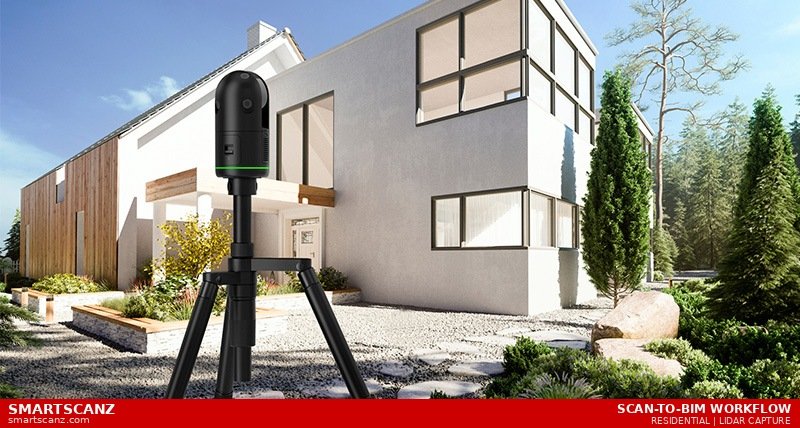
If you've been researching 3D scanning options for your renovation, construction, or documentation project, you've almost certainly encountered Matterport. It's beautifully marketed, visually impressive, and increasingly popular with real estate agents and property managers. But if you're an architect, contractor, engineer, or insurance adjuster who needs data you can actually build on — Matterport and professional LiDAR scanning are not interchangeable. This article explains why, clearly and without jargon.
What Matterport Actually Is
Matterport is a consumer-grade 3D imaging platform built primarily for virtual tours. It uses a combination of infrared depth sensors and standard cameras to create a "dollhouse" walkthrough experience — the kind you see on real estate listings where you can virtually navigate through a home. The output is visually polished and immediately shareable via a web link. For showing a property to a potential buyer or tenant, it's genuinely excellent.
What Matterport is not, and was never designed to be, is a survey-grade measurement tool. Its depth sensors achieve accuracy in the range of ±1–3 centimetres under good conditions — and significantly worse in low light, near reflective surfaces, or in large open spaces. That's enough for a real estate tour where no one is taking measurements. It is not enough for a renovation contractor who needs to know whether a structural wall is 3.65 metres or 3.72 metres from the adjacent column.
The core difference: Matterport creates an experience. LiDAR creates a dataset. One is for looking at a building. The other is for building on the data.
What Professional LiDAR Scanning Actually Is
Professional terrestrial LiDAR scanners — like the Leica BLK360 Gen2 used by SmartScanz — fire millions of laser pulses per second in a full 360° sphere. Each pulse travels outward, strikes a surface, and returns to the sensor. The scanner measures the precise time-of-flight of each pulse to calculate the exact X, Y, and Z coordinates of every surface point it hits. A single scan position captures tens of millions of measurements in under two minutes, with a rated accuracy of ±4mm at standard survey distances.
The result is a point cloud — not a visual tour, but a dimensionally accurate, fully measurable 3D dataset. Every wall thickness, ceiling height, column position, door offset, and structural element is captured with the same precision a licensed surveyor would achieve with a total station — but in a fraction of the time and at a fraction of the cost.
±4mmLeica BLK360 Gen2 Accuracy
±1–3cmTypical Matterport Accuracy
10–15×LiDAR More Accurate
The Accuracy Gap — And Why It Matters
A 1–3 centimetre accuracy range sounds small. On a real estate tour, it is irrelevant. On a construction or renovation project, it can be catastrophic.
Consider a straightforward scenario: you're renovating a commercial office floor in Hamilton. The mechanical engineer needs as-built drawings to design a new HVAC layout. The drawings show a corridor at 2.4 metres wide. The Matterport scan suggests it's 2.38 metres. The engineer designs the ductwork around 2.4 metres. The contractor installs it. The duct doesn't fit because the corridor is actually 2.36 metres — within Matterport's stated accuracy range, but 4 centimetres off the drawing.
Demolition. Modification. Rescheduling. That 2-centimetre discrepancy just cost several thousand dollars and a week of delay. A LiDAR scan would have captured that corridor at 2.362 metres — accurate to ±4mm — and the ductwork would have fit on the first attempt.
The Deliverable Problem
Beyond accuracy, the deliverables are fundamentally different. Matterport produces a web-hosted virtual tour and a basic floor plan schematic. These are useful for marketing and rough space planning, but they are not CAD-ready, BIM-compatible, or accepted by most engineers and architects as a basis for design.
Professional LiDAR scanning produces a point cloud — a raw dataset that can be delivered as RCP, E57, or LAS files — plus fully dimensioned DWG floor plans, Revit BIM models at your required Level of Detail, exterior elevation drawings, section cuts, and PDF drawing packages. These deliverables integrate directly into AutoCAD, Revit, SolidWorks, and every other professional AEC workflow. They are accepted by structural engineers, permit offices, insurance adjusters, and construction teams without caveat.
Where Matterport Actually Makes Sense
To be fair to Matterport: it is genuinely good at what it was designed for. If you're a real estate agent wanting an immersive virtual tour of a listing, Matterport is an excellent and cost-effective tool. If you're a property manager doing a basic visual record of a unit's condition at lease start, Matterport works well. If you're doing early-stage conceptual design and need a rough spatial impression of a building you haven't visited yet, a Matterport scan gives you that quickly.
The problem isn't Matterport itself — it's when Matterport scans are used as a substitute for proper as-built documentation on projects that require accuracy. This happens more than it should, because Matterport's outputs look authoritative. The dollhouse view, the floor plan, the ability to take measurements inside the tour — all of it creates the impression of precision that the underlying data doesn't actually support.
Our rule of thumb: If a human being is going to make a decision about construction, renovation, structural design, permitting, or insurance based on the scan data — use LiDAR. If the scan is purely for visual purposes — Matterport is fine.
The Cost Comparison
Matterport scans are often cheaper upfront than professional LiDAR scanning. A Matterport service provider might charge $200–$600 for a residential property scan. A professional LiDAR scan of the same property, delivered as a fully dimensioned DWG floor plan set, typically costs more. This is a real difference and it matters for budget-constrained projects.
But the upfront cost comparison misses the most important number: the cost of a measurement error discovered mid-construction. On a $150,000 renovation, a single discrepancy that triggers rework costs $7,500–$22,500 on average. The premium for professional LiDAR scanning is typically a fraction of that. The scan pays for itself the first time it prevents a change order — and on projects of meaningful complexity, that's not a hypothetical. It's an expectation.
A Direct Comparison
Here's how the two technologies compare across the dimensions that matter for professional use:
| Feature |
LiDAR (Leica BLK360 Gen2) |
Matterport Pro3 |
| Accuracy | ±4mm | ±1–3cm |
| CAD-Ready Output | ✓ DWG / DXF / PDF | Limited / Extra cost |
| Revit BIM Model | ✓ LOD 200–400 | ✗ |
| Point Cloud (E57/LAS) | ✓ | Limited export |
| Virtual Tour | — Not primary use | ✓ Excellent |
| Accepted for Permits | ✓ | ✗ |
| Insurance / Legal Use | ✓ | ✗ |
| Best For | Construction & AEC | Real Estate Tours |
The Bottom Line
Matterport is a marketing tool that happens to capture space. LiDAR is a measurement tool that happens to produce visuals. If your project involves architects, engineers, contractors, permits, insurance adjusters, or any decision-maker who needs to rely on the spatial data — you need LiDAR. If your project involves showing a space to someone who needs to visualize it — Matterport is fine.
At SmartScanz, we use the Leica BLK360 Gen2 — professional-grade terrestrial LiDAR that achieves ±4mm accuracy on every scan. We don't offer Matterport because our clients are building things, not touring them.
If you're in Kitchener-Waterloo, Cambridge, Guelph, Hamilton, Burlington, or the GTA and need scan data you can actually build on — SmartScanz provides free, itemized quotes within 24 hours.
Get a Free Quote →
Buyer's Guide
How to Hire a LiDAR Scanning Company: 7 Questions to Ask
March 2026
SmartScanz Editorial
6 min read
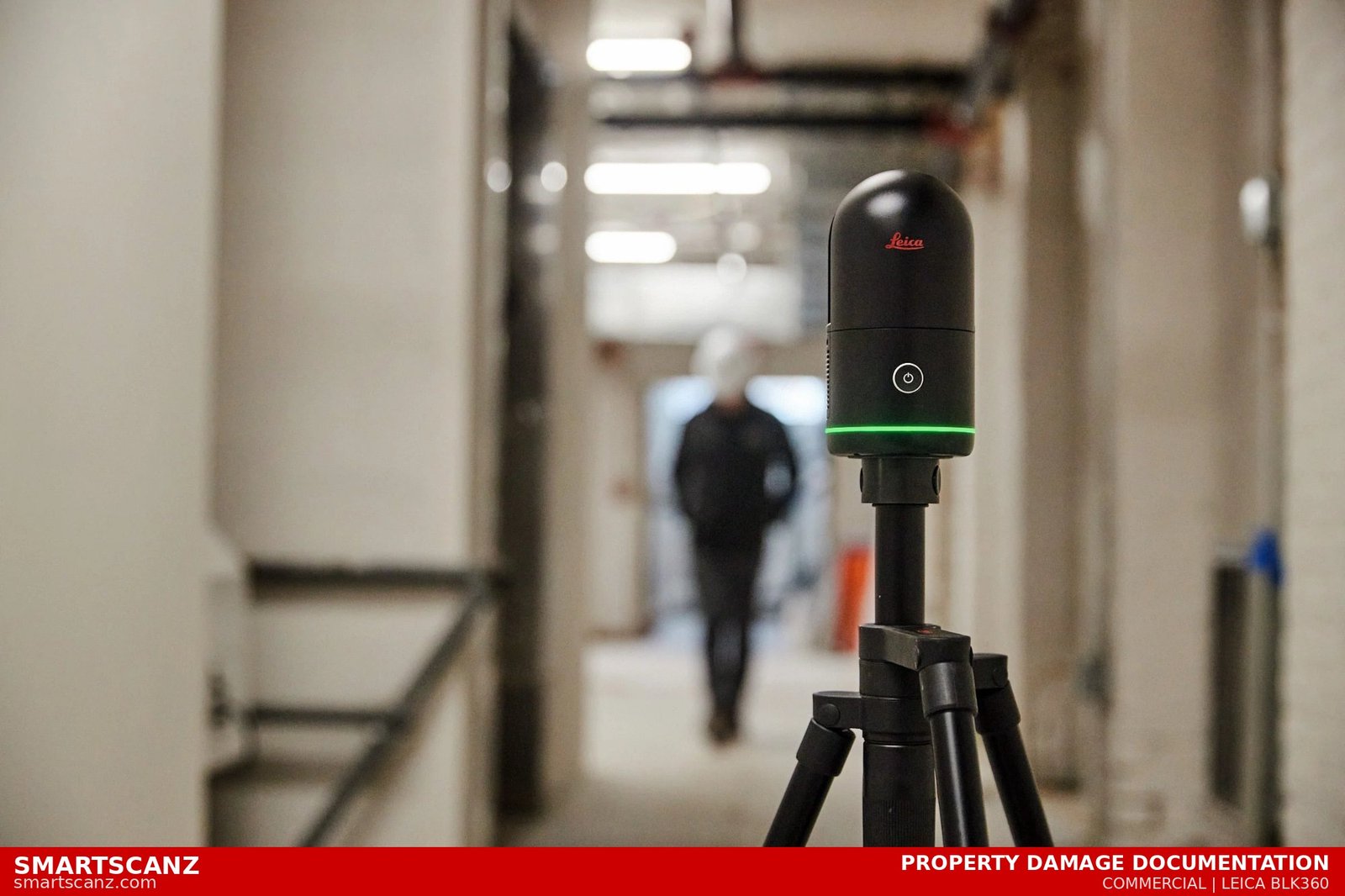
The market for LiDAR scanning and as-built documentation services has grown quickly across Ontario. There are now dozens of companies offering some version of 3D scanning — from solo operators with handheld scanners to large national firms. For an architect, contractor, engineer, or property owner trying to hire the right partner, the differences between providers are not always obvious from a website or a quote. These 7 questions will help you cut through the noise and find a company that will actually deliver.
1. What scanner do you use — and why does it matter?
Not all 3D scanners are created equal. There is a significant difference in accuracy, speed, and data quality between consumer-grade scanners (like Matterport) and professional-grade LiDAR equipment (like the Leica BLK360 Gen2, FARO Focus, or Trimble X7). Ask any prospective company what specific equipment they use and what its rated accuracy is. A professional firm should be able to tell you their scanner's positional accuracy spec — which for a Leica BLK360 Gen2 is ±6mm at 10 metres, with registered point cloud accuracy typically achieving ±4mm under standard conditions.
Red flag: If a company can't name their scanner or describe its accuracy spec, they are likely using consumer-grade equipment that is not suitable for as-built documentation, permitting, or Scan-to-BIM work.
2. What deliverables do you provide — and in what formats?
The raw point cloud is just the starting point. A capable scanning company should be able to deliver whatever your workflow requires: RCP files for AutoCAD, RVT files for Revit, E57 or LAS for open point cloud workflows, 2D DWG floor plans and elevations, PDF drawing packages, IFC files for open BIM, and more. Before signing any contract, confirm that the company can deliver files in the exact format your architect, engineer, or contractor needs — and that those files are ready to use without additional cleanup.
3. What Level of Detail (LOD) do you model to?
For Scan-to-BIM projects, LOD matters enormously. LOD 200 captures overall geometry and massing — fine for early design. LOD 300 adds precise dimensions and element quantities — required for construction documentation. LOD 350 includes connection details for structural and MEP coordination. LOD 400 is fabrication-level detail. A scanning company that cannot explain LOD clearly — or that defaults to one level for every project — may not have the modelling expertise your project demands.
4. Do you do the modelling in-house or outsource it?
Many scanning companies outsource their BIM modelling to overseas teams. This is not inherently wrong, but it introduces communication delays, quality control risks, and potential mismatches between the scan data and the final model. Ask directly: who builds the Revit model? Are they on your team? What is your quality control process before delivery? A company that models in-house can typically respond faster to revision requests and catch errors before they reach you.
5. Can you show me examples of comparable projects?
Portfolio samples are the most direct evidence of capability. Ask to see examples of projects similar to yours in type (residential, commercial, heritage, industrial), size, and deliverable (floor plan, Revit model, elevation drawings). Look at the quality of the drawings — are dimensions legible? Are wall thicknesses realistic? Do the 3D models look clean and coordinated? A company that cannot show you relevant examples may not have delivered that type of work before.
6. What is your turnaround time and what is included in the quote?
Get clarity on turnaround before you sign. A typical residential as-built scan should be completable within 5–10 business days from site visit to final deliverable. Commercial and industrial projects may take longer depending on complexity. Also confirm what the quote includes: How many scan positions? How many revisions? Is the walkthrough session included? Are travel costs extra? Vague quotes lead to scope disputes — a professional company provides itemized, transparent pricing upfront.
5–10Days Typical Turnaround
24hrQuote Turnaround
±4mmExpected Accuracy
7. Are you local — and does that matter?
For projects in Kitchener-Waterloo, Cambridge, Guelph, or Hamilton, hiring a local scanning company matters more than it might seem. A local team can mobilize faster, respond to scope changes or site access issues on short notice, and build a real working relationship with your team across multiple projects. A Toronto or national company targeting KW as a side market adds travel costs, scheduling delays, and a team that doesn't know the local building stock or permit requirements.
The bottom line: The right LiDAR scanning partner is one that can name their equipment, explain their workflow, show you comparable work, and deliver exactly the files you need — on time, with no surprises on the invoice. If a company hesitates on any of the seven questions above, keep looking.
SmartScanz answers all seven of these questions upfront — and we provide free, itemized quotes within 24 hours. Based in Kitchener-Waterloo, serving KW, Cambridge, Guelph, Hamilton, Burlington, and the GTA.
Get a Free Quote →
Industry Insight
LiDAR Scanning vs. Traditional Measuring: The True Cost of Getting It Wrong
March 2026
SmartScanz Editorial
7 min read
Every construction and renovation project starts with measurements. The question is not whether you need accurate spatial data — you do, always — but how you get it. For decades, the industry default was a person with a tape measure, a laser distance meter, and a field sketch. LiDAR scanning has changed that equation permanently. This article breaks down exactly what each method costs, where each method fails, and why the math almost always favours scanning once you account for the true cost of getting it wrong.
How Traditional Measuring Works
Traditional field measuring involves a technician or drafter walking through a space with a tape measure, laser distance meter, and notebook. They sketch room layouts by hand, record dimensions on paper or a tablet, and return to the office to draft those measurements into CAD or provide them to an architect. On a straightforward single-floor space, an experienced measurer can complete a basic floor plan in a few hours. On a multi-floor building with complex geometry — curved walls, irregular rooms, sloped ceilings, structural projections — the same process can take days, and the margin for error grows with every measurement recorded by hand.
The fundamental problem: Every manual measurement introduces human error. A misread tape, a sketched dimension that gets transposed during drafting, a wall thickness that was estimated rather than measured — each one is invisible in the final drawing until it causes a problem in the field.
How LiDAR Scanning Works
A LiDAR scanner fires millions of laser pulses per second in a full 360° sphere. Each pulse travels outward, strikes a surface, and returns to the sensor in nanoseconds. By measuring the precise time-of-flight of every pulse, the scanner calculates the exact X, Y, and Z coordinates of that surface point. A single scan position captures tens of millions of measurements in under two minutes. A full building is typically captured in one site visit — no return trips, no re-measurement, no field sketches. The result is a point cloud: a complete, dimensionally accurate digital replica of the space.
The Hidden Costs of Traditional Measuring
The invoice for traditional measuring looks cheaper. A drafter charging $75–$150 per hour for a day of field work appears less expensive than a LiDAR scan. But that comparison ignores all the costs that never appear on the measurer's invoice.
Return visits. Traditional measuring almost always requires at least one return visit. A dimension was missed. A room was inaccessible during the first visit. The architect found a discrepancy and needs it verified. Each return visit costs travel time, scheduling time, and billable hours — and delays the project.
Drawing errors discovered in construction. When a measured drawing contains an error and that error isn't discovered until demolition or framing has begun, the cost is not a corrected drawing — it is rework. Rework in construction typically costs 5–15% of total project value. On a $200,000 renovation, that is $10,000–$30,000 in costs that trace directly back to inaccurate as-built documentation.
Scope creep from surprises. When drawings don't accurately reflect existing conditions, contractors encounter surprises mid-project — walls in the wrong place, structural elements that weren't captured, floor heights that don't match the drawing. Each surprise triggers a change order. Change orders delay schedules and inflate budgets.
5–15%Typical Rework Cost
±4mmLiDAR Accuracy
1 VisitAll Data Captured
A Real-World Comparison
Consider a 3,000 sq ft two-storey commercial renovation in Kitchener. Traditional measuring might cost $800–$1,500 for a day of field work plus drafting. A LiDAR scan of the same space, delivering a fully dimensioned DWG floor plan set, might cost $1,500–$2,500. On paper, traditional measuring is cheaper by $500–$1,000.
Now consider what happens when the traditional drawings contain a 4-inch wall position error that isn't discovered until the framing contractor has already built two partition walls in the wrong location. Demolition and rebuild of those walls costs $3,500. The architect's time to review and revise the drawings costs $800. The project is delayed by four days, costing the client $2,000 in holding costs. Total cost of the error: $6,300 — which is four times what the LiDAR scan would have cost.
This scenario is not hypothetical. It happens on renovation projects across Ontario every week. The question is not whether measurement errors occur with traditional methods — they do, consistently. The question is whether your project budget can absorb the cost when they do.
When Traditional Measuring Still Makes Sense
Traditional measuring is not always wrong. For very simple, single-room projects — a bathroom renovation where the only deliverable is a rough sketch of existing dimensions — a tape measure is perfectly adequate. For projects where sub-centimetre accuracy is not required and no BIM model is needed, the cost difference may not be justified. The key is being honest about the complexity of your project and the consequences of an error. The more complex the space, the more stakeholders relying on the drawings, and the higher the cost of rework — the more clearly LiDAR scanning wins the cost-benefit analysis.
The Bottom Line
The true cost of traditional measuring is not the invoice from the drafter. It is the invoice from the drafter plus the expected cost of errors, multiplied by the probability of those errors occurring on your specific project. For any renovation or documentation project of meaningful complexity, LiDAR scanning is not a premium — it is insurance. And unlike most insurance, it delivers something useful even when nothing goes wrong: a complete, accurate, permanently measurable digital record of your building.
SmartScanz provides free, itemized quotes within 24 hours. We serve Kitchener-Waterloo, Cambridge, Guelph, Hamilton, Burlington, and the Greater Toronto Area.
Get a Free Quote →
Scan-to-BIM
Before & After: How LiDAR Transforms a Building into a BIM Model
March 2026
SmartScanz Editorial
7 min read
Most people understand what a finished BIM model looks like — a clean, coordinated 3D digital building ready for construction documentation, clash detection, or facility management. What most people have never seen is what happens in the hours and days between a LiDAR scanner sitting in the middle of an empty room and that polished model appearing on an architect's screen. This article walks you through the entire journey, step by step.
Step 1 — The Site Visit (Before Anything Exists)
It starts with a single scanner, a tripod, and a site. Our team positions the Leica BLK360 Gen2 at strategic locations throughout a building — typically one scan position every 5 to 10 metres, depending on the complexity of the space. Each scan takes under two minutes and captures tens of millions of laser measurements in a full 360° sphere, including floor, ceiling, walls, windows, doors, mechanical equipment, and every architectural feature in between.
On a typical residential project: We complete 8–15 scan positions in a single morning. A commercial floor plate might require 20–40 positions. Every point captured is accurate to within ±4mm — without a single tape measure leaving our kit bag.
Step 2 — Registration (Stitching the Scans Together)
Each individual scan sees the world from its own position. Registration is the process of aligning all scans into a single, unified coordinate system. Using Leica's Cyclone REGISTER 360 software, our team automatically matches overlapping geometry between adjacent scan positions — columns, walls, floor edges — until every scan locks into place with sub-millimetre precision. The result is a complete, seamless point cloud of the entire building.
2 minPer Scan Position
±4mmRegistration Accuracy
1 VisitAll Data Captured
Step 3 — The Point Cloud (The Raw "Before")
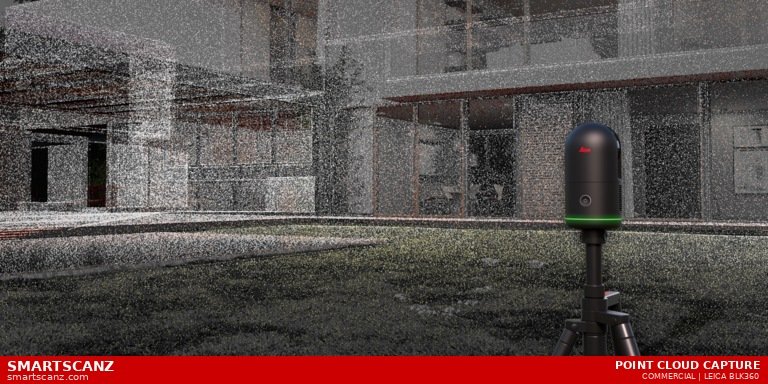
At this stage, the building exists as a point cloud — billions of individual coloured dots suspended in 3D space, each one representing a precise real-world surface. To the untrained eye it looks like a photograph. To an engineer or architect, it is a fully measurable, interrogatable replica of the building. You can slice through it at any height to reveal a floor plan. You can cut a section to see wall thicknesses. You can measure any distance between any two points anywhere in the model — instantly, without returning to site.
Step 4 — BIM Modeling in Revit (The Transformation)
This is where the point cloud becomes a BIM model. Our team imports the registered point cloud directly into Autodesk Revit, where it acts as a precise, three-dimensional tracing guide. Walls, floors, ceilings, columns, beams, doors, windows, stairs, and mechanical elements are modeled by tracing the geometry revealed by the point cloud — not guessing, not measuring manually, but following laser-accurate data point by point.
Step 5 — Quality Control & Delivery
Before any file leaves our studio, every modeled element is checked against the point cloud for deviation. We then deliver your project as a native Revit RVT file, an IFC for open BIM workflows, 2D DWG drawings extracted from the model, and a PDF drawing package — all in a single delivery within 5–10 business days of the site visit.
Want to see the before and after on your building? SmartScanz provides free quotes within 24 hours and serves Kitchener-Waterloo, Cambridge, Guelph, Hamilton, Burlington, and the Greater Toronto Area.
Get a Free Quote →
LiDAR Technology
What is LiDAR Scanning — and Why Does It Matter?
February 2025
SmartScanz Editorial
5 min read
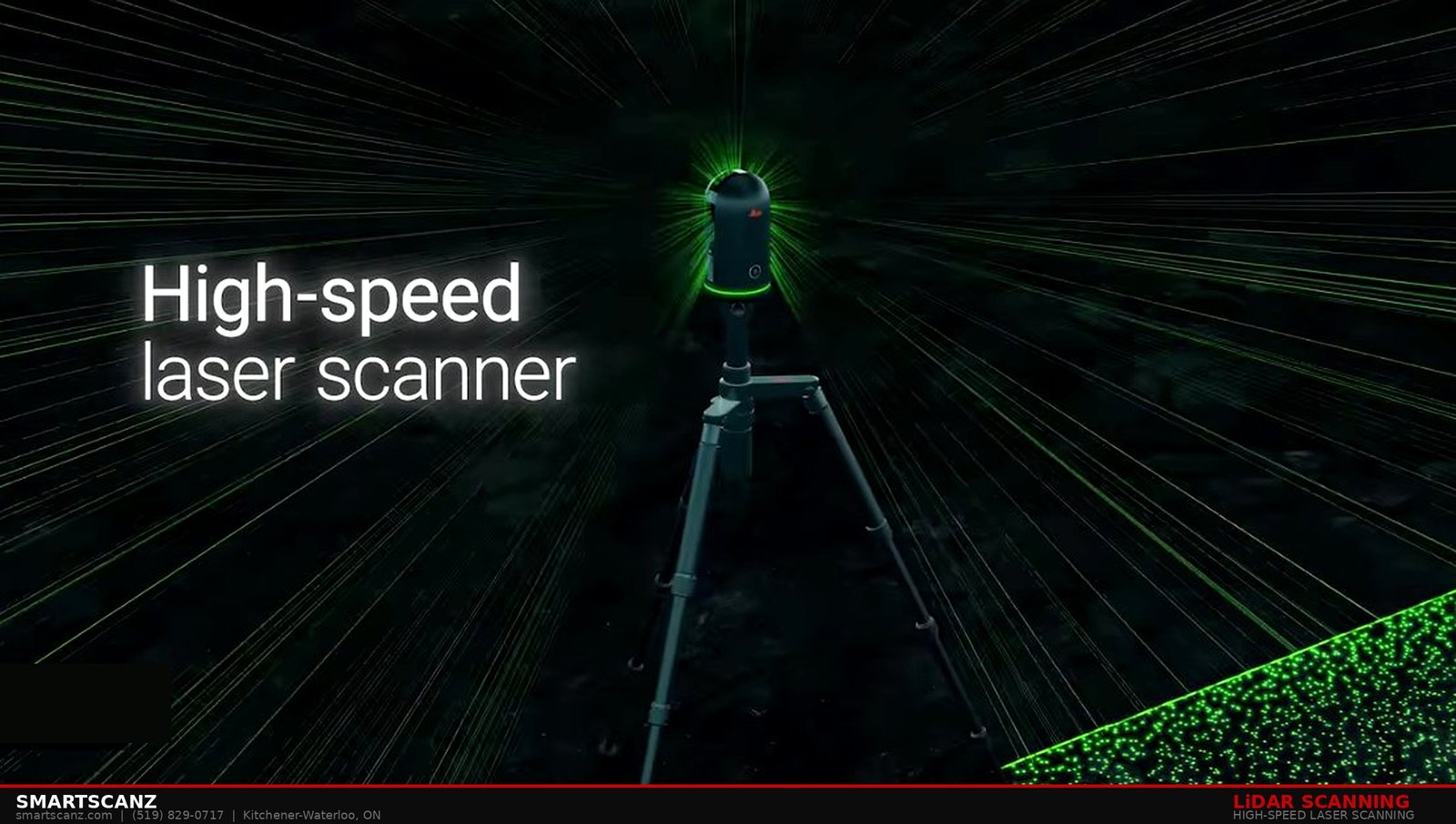
If you've ever hired a contractor to measure a space and received drawings that were off by several inches — or worse, discovered discrepancies mid-construction — you've experienced the cost of traditional measurement methods. LiDAR scanning was built to eliminate that problem entirely.
What Does LiDAR Stand For?
LiDAR stands for Light Detection and Ranging. The technology works by firing millions of laser pulses per second in all directions from a scanner positioned in a room or exterior space. Each pulse travels outward, strikes a surface, and bounces back to the sensor. By measuring the time each pulse takes to return — and the angle it was fired at — the scanner calculates the precise X, Y, and Z coordinates of that surface point in 3D space.
In practical terms: A single LiDAR scan can capture tens of millions of individual measurements in under two minutes — producing a digital model of a space that is accurate to within 2 millimetres.
How Accurate Is It Really?
The scanners we use at SmartScanz — including FARO, Leica, and Trimble equipment — achieve positional accuracy of ±4mm under standard conditions. For context, the width of a Canadian dime is approximately 1.75mm. That level of precision is impossible to achieve with tape measures, laser distance meters, or even total stations under typical field conditions.
0.05mmScanner Resolution
±4mmPositional Accuracy
360°Full Coverage
What Happens After the Scan?
The raw output of a LiDAR scan is called a point cloud — a massive collection of 3D data points that together form a precise digital replica of the scanned space. From that point cloud, our team can produce as-built floor plans, exterior elevations, Scan-to-BIM Revit models, sections, and more — all derived from a single site visit.
Who Uses LiDAR Scanning?
LiDAR scanning is used across architecture, construction, engineering, insurance, heritage preservation, and facility management. Any professional who needs accurate spatial data — and can't afford the cost of errors — benefits from LiDAR. In the Kitchener-Waterloo region, we work with architects renovating century-old commercial buildings, manufacturers documenting complex equipment layouts, and insurance adjusters documenting property damage.
Why Not Just Use Photographs?
Photographs capture appearance. LiDAR captures geometry. A photograph can tell you what a room looks like. A LiDAR scan tells you exactly how large every surface is, where every wall, column, and fixture sits in 3D space, and how everything relates to everything else — to within millimetres. These are fundamentally different types of information.
Ready to see what LiDAR can do for your project? We provide free quotes within 24 hours and can mobilize across Kitchener-Waterloo and the surrounding region.
Get a Free Quote →
BIM & Modeling
Scan-to-BIM Explained: From Point Cloud to Revit Model
February 2025
SmartScanz Editorial
6 min read
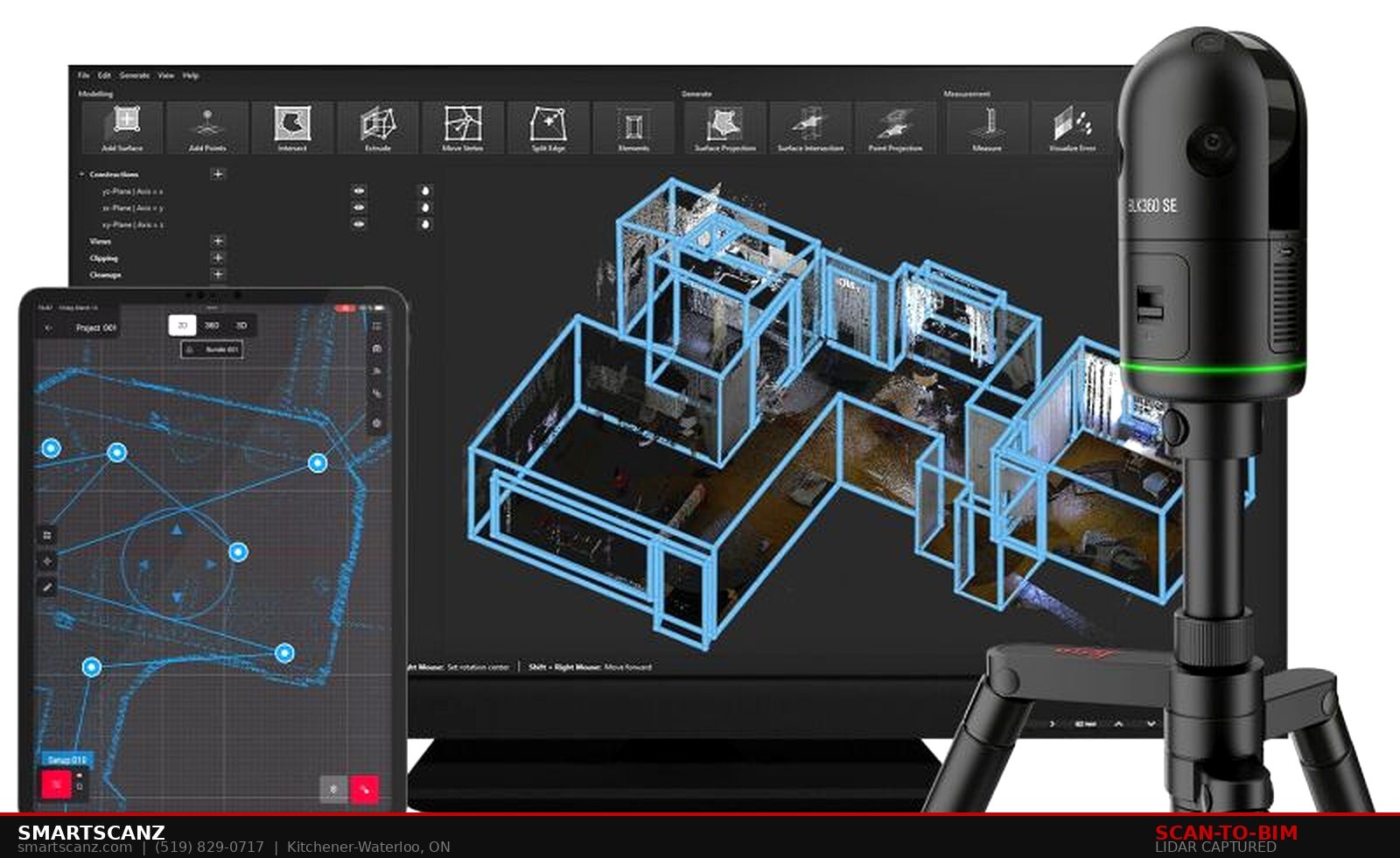
Building Information Modeling — BIM — has transformed how architects, engineers, and contractors design and manage buildings. But BIM is only as useful as the data that feeds it. For existing buildings, that data has historically been expensive and time-consuming to collect accurately. Scan-to-BIM changes that equation completely.
What is Scan-to-BIM?
Scan-to-BIM is the process of converting a LiDAR point cloud — a precise 3D capture of an existing building — into a fully coordinated Building Information Model, typically built in Autodesk Revit. Instead of manually measuring every wall, ceiling, column, window, and door by hand, we scan the building in a single visit and use that data to build a parametric digital model that matches the real structure exactly.
The key advantage: A Scan-to-BIM model is derived from reality. It reflects what the building actually is — not what it was designed to be or what someone estimated from memory.
What is LOD — and Which Level Do You Need?
In BIM, Level of Detail (LOD) describes how much information is modeled. The scale runs from LOD 100 (conceptual massing only) to LOD 500 (as-built with full asset data). For most renovation and retrofit projects, LOD 200 to LOD 350 is sufficient. For facility management and complex MEP coordination, LOD 400 is often required.
At SmartScanz, we deliver models from LOD 200 through LOD 400 depending on project requirements. We discuss LOD requirements during scoping so you receive exactly what your workflow demands — no more, no less.
What Can You Do With a Scan-to-BIM Model?
A properly built Revit model derived from a LiDAR scan gives your team the ability to design renovations with confidence, run clash detection before construction begins, coordinate structural, architectural, and MEP systems in a single model, extract accurate quantities for cost estimation, and hand off a reliable as-built record to facilities management teams. Each of these applications depends on the model accurately representing the real building — which is only possible when the model is built from measured scan data.
How Long Does It Take?
Scanning a typical commercial floor plate of 5,000 to 10,000 square feet takes two to four hours on site. Point cloud registration and cleaning adds another day. Revit modeling time depends on scope and LOD — most projects are delivered within five to ten business days from the scan date.
LOD 200–400Model Detail Range
5–10Days to Deliver
IFC / RVTFile Formats
Revit, IFC, or Both?
We deliver native Revit (.RVT) files by default. For clients using non-Autodesk platforms such as ArchiCAD, Vectorworks, or Tekla, we export to IFC format — an open standard that maintains full model geometry and metadata. We can also deliver DWG exports from Revit for CAD-based workflows.
Have an existing building that needs a Revit model? We scan, register, and model — delivering files your team can use immediately.
Start Your Scan-to-BIM Project →
Data & Processing
What is a Point Cloud? The Foundation of Every Scan We Deliver
February 2025
SmartScanz Editorial
4 min read
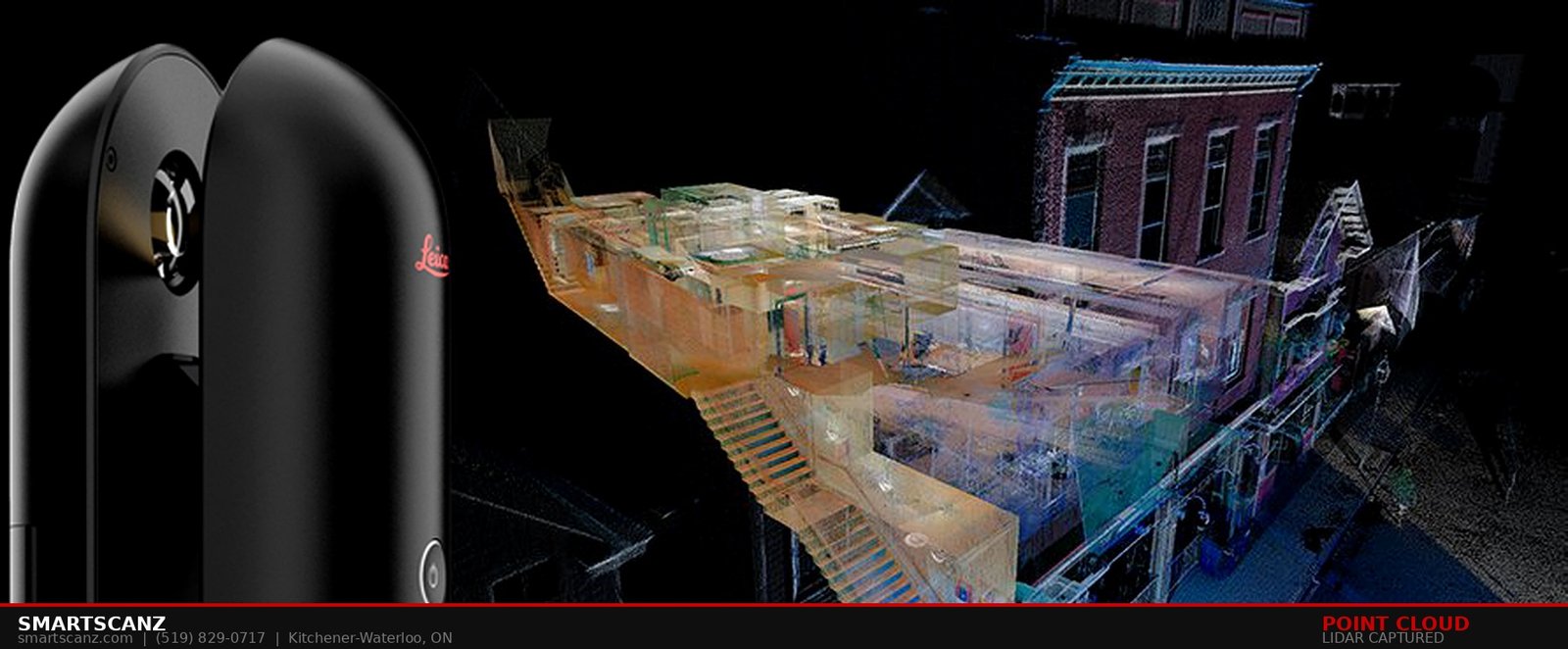
Every deliverable we produce at SmartScanz — whether it's a floor plan, a Revit model, or a property damage report — begins with the same raw material: a point cloud. Understanding what a point cloud is, and what makes a good one, is the first step to understanding the value of LiDAR-based documentation.
The Definition
A point cloud is a collection of individual data points in three-dimensional space. Each point has three coordinates — X, Y, and Z — that define its exact position. A single LiDAR scan of a residential home might capture 200 million to 500 million individual points. A large commercial facility might produce several billion. Together, these points form a dense, precise digital replica of the scanned space.
Think of it this way: If a photograph is a 2D image of how a space looks, a point cloud is a 3D record of exactly where every surface in that space is located — measurable from any angle, at any scale.
What Does a Point Cloud Look Like?
Viewed in software like Autodesk ReCap or Leica Cyclone, a point cloud looks like a dense constellation of coloured dots that together form recognizable shapes — walls, floors, ceilings, columns, equipment. The density of points varies by distance from the scanner: surfaces closer to the scanner are captured in higher density than surfaces far away. Our processing workflow compensates for this variation to produce clean, uniform output.
What File Formats Are Delivered?
Point clouds are delivered in industry-standard formats depending on your workflow. RCP (Autodesk ReCap Project) files integrate directly with Revit, AutoCAD, and Civil 3D. E57 is an open-standard format compatible with most professional point cloud viewers and modeling platforms. LAS and LAZ formats are used in geospatial and survey workflows. We discuss format requirements during scoping and deliver in the format your team actually uses.
Raw vs. Processed Point Clouds
A raw point cloud — fresh out of the scanner — contains noise: stray points from reflective surfaces, moving objects captured mid-scan, and registration errors between scan positions. Our processing workflow removes noise, registers multiple scan positions into a single unified coordinate system, and delivers a clean point cloud ready for modeling or direct measurement. This processing step is what separates usable data from unusable data — and it's where a significant portion of the value we provide is created.
RCPAutodesk Format
E57Open Standard
LAS/LAZGeospatial Format
Can You Just Give Me the Point Cloud?
Absolutely. Not every client needs a fully modeled deliverable. If you have the in-house capability to work with point cloud data directly — using Revit, AutoCAD, ReCap, or a similar platform — we can scan, register, and deliver a clean point cloud and step back. Our point cloud processing service is designed precisely for clients who need clean data but handle the downstream modeling themselves.
Need a clean, registered point cloud delivered fast? We scan, process, and deliver — anywhere in the Kitchener-Waterloo region.
Request Point Cloud Processing →
As-Built Documentation
As-Built Floor Plans with Electrical Documentation: What They Are, What They Cost, and Why Your Project Needs Both
April 2026
SmartScanz Editorial
7 min read
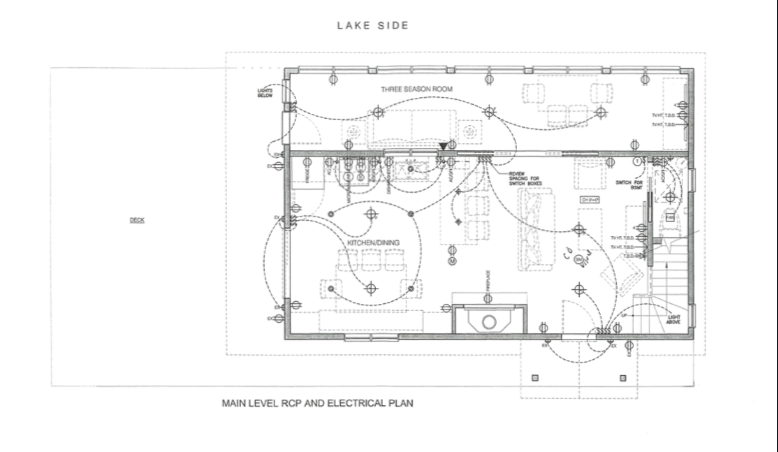
Ask most homeowners or contractors what an as-built floor plan is, and they'll describe something familiar — a dimensioned drawing showing wall layouts, room sizes, and door and window positions. That's correct, as far as it goes. But on renovation and build projects where electrical work is involved, a floor plan without electrical documentation is half a drawing. When an electrician needs to know where every outlet, switch, pot light, exhaust fan, and panel connection sits — and where they need to go — a standard floor plan tells them almost nothing. This article explains what a complete as-built floor plan with electrical documentation actually looks like, how LiDAR scanning makes it possible to capture both in a single site visit, and what you should expect to pay for the deliverable in Ontario.
What Is an As-Built Floor Plan?
An as-built floor plan is a dimensionally accurate drawing of a building as it currently exists — not as it was originally designed, and not as someone estimated it from memory. It reflects the real walls, real room dimensions, real ceiling heights, and real locations of structural and architectural features captured through physical measurement. On any renovation, addition, insurance, or permitting project, the as-built floor plan is the document everything else is built on. If it's wrong, everything downstream is wrong.
Traditional as-built floor plans are produced by a drafter with a tape measure who walks the space, records dimensions by hand, and returns to the office to produce a CAD drawing. This process works for simple, single-floor spaces. It fails — consistently — on multi-floor buildings, complex room geometry, and any project where sub-centimetre accuracy is required.
LiDAR-based as-built floor plans are derived directly from a registered point cloud. Every wall position, room width, ceiling height, and architectural feature is captured by laser at ±4mm accuracy and extracted into a CAD drawing without a single manual measurement. The result is a floor plan your architect, contractor, or engineer can actually rely on.
What Is an RCP — and Why Does Electrical Documentation Need One?
A Reflected Ceiling Plan — or RCP — is a drawing that shows what you would see if you laid a mirror on the floor and looked up. It captures ceiling height, light fixture positions, exhaust fans, smoke detectors, and any ceiling-mounted equipment — all referenced to the floor plan below. The RCP is the foundation of electrical documentation. Without it, there is no accurate record of where lighting circuits are laid out, how fixtures relate to the rooms below them, or what ceiling heights apply to each space.
A complete electrical documentation package combines the RCP with the electrical plan — which adds outlet locations, switch positions, panel locations, GFI circuits, dedicated circuits for appliances, and inter-connections between fixtures and their switching points. Together, the RCP and electrical plan give every trade involved in a renovation a complete, coordinated picture of what exists and what needs to change.
The key point: An as-built floor plan shows where the walls are. An RCP and electrical plan shows what's in those walls, on those ceilings, and in every junction box — and exactly where all of it is located.
What a Complete Electrical Documentation Package Looks Like
A complete RCP and electrical package covers every level of the building independently, with each floor plan showing the full lighting layout, switch positions, outlet documentation, panel and mechanical electrical connections, smoke and CO detector locations, and any specialized circuits such as TV rough-ins, voice/data outlets, and home automation components.
Lighting layout. Every pot light, pendant fixture, exhaust fan with light, wall sconce, and strip light — positioned with dimensions from the center of each fixture, tagged with ceiling height where it varies.
Switch positions. Every wall switch, including multi-way switching arrangements where a single circuit is controlled from multiple locations — common in stairwells, hallways, and bedrooms.
Outlet documentation. Every duplex outlet, GFI outlet, above-counter outlet, millwork-integrated outlet, and dedicated appliance circuit — located and tagged. For kitchens, this includes dedicated circuits for refrigerators, microwaves, dishwashers, and ranges. For bathrooms, GFI protection zones are explicitly noted.
Panel and mechanical electrical. The location of the electrical panel, dedicated circuits for furnaces, water heaters, air conditioning units, and any other mechanical equipment requiring electrical service.
Smoke and CO detectors. Required under the Ontario Building Code — locations documented per floor.
±4mmLiDAR Capture Accuracy
3 LevelsDocumented in 1 Visit
DWG / PDFDelivery Formats
How LiDAR Scanning Captures All of This in One Visit
A traditional approach to electrical documentation requires a drafter to walk every floor, manually locate and dimension every fixture, outlet, and switch by hand, then return to the office to draft each floor separately. On a multi-floor building with complex electrical layouts, that process takes days and introduces significant opportunity for omission and error.
LiDAR scanning captures the complete geometry of every floor in a single site visit. Our team positions the Leica BLK360 Gen2 throughout the building, capturing walls, ceilings, floors, and all visible surface-mounted electrical elements in a full 360° point cloud. Ceiling heights are extracted directly from the scan data. Fixture positions are located from the point cloud to within ±4mm. The registered, multi-floor point cloud then becomes the base from which floor plans, RCPs, and electrical plans are all drafted — simultaneously, in a single coordinated drawing set.
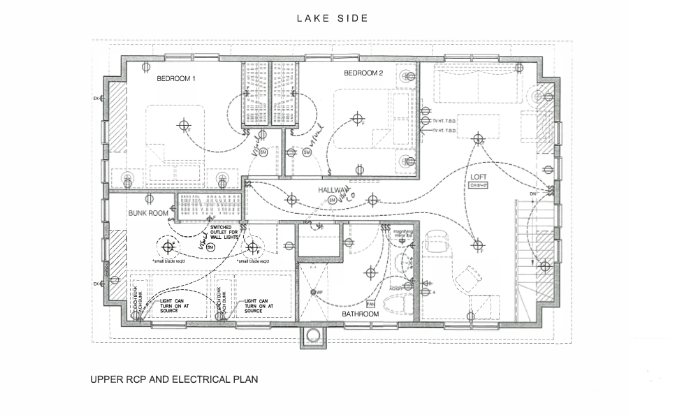
The practical advantage: Because every floor is captured in the same coordinate system, multi-floor electrical elements — stairwell switching, circuits that run between floors, panel locations in lower levels — are documented with precise vertical and horizontal relationships. Nothing is estimated. Nothing is assumed.
Pricing for As-Built Floor Plans with Electrical Documentation in Ontario
Pricing depends on building size, number of floors, and the complexity of the electrical system being documented. The following ranges include the LiDAR scan, point cloud processing, dimensioned as-built floor plans, RCP per floor, and electrical plan per floor delivered as DWG and PDF.
| Building Type |
Floors |
Typical Range |
| Small residential |
1–2 floors |
$900 – $1,800 |
| Medium residential |
2–3 floors |
$1,800 – $3,200 |
| Large residential / cottage |
3+ floors |
$3,000 – $5,000 |
| Small commercial |
1–2 floors |
$1,500 – $3,500 |
| Medium commercial |
2–4 floors |
$3,500 – $8,000 |
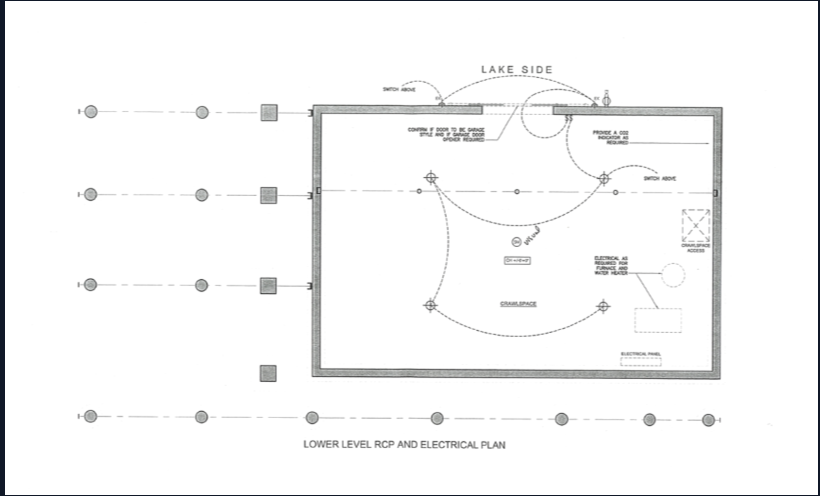
What drives the cost up: High fixture density, multiple sub-panels, complex multi-way switching, and millwork-integrated electrical requiring shop drawing cross-reference.
What drives the cost down: Simple residential layouts with standard room-by-room circuits, lower floor counts, and PDF-only output rather than editable DWG files.
Who Needs This Deliverable — and When
Renovation contractors working on older residential or commercial buildings where original electrical drawings don't exist or don't reflect what was actually installed. Before any electrical rough-in or panel upgrade, you need to know what's there.
Interior designers and lighting consultants specifying new fixture layouts need the existing RCP as a base. Without an accurate as-built RCP, every lighting specification is made against an estimate — and estimates produce change orders.
Insurance adjusters and property managers documenting a building's condition following purchase, damage, or change of tenancy. An electrical documentation package is a defensible, timestamped record of what the building contained.
Architects and engineers working on building additions, tenant improvements, or change-of-use permits where the electrical system needs to be assessed against OBC requirements.
Homeowners planning significant renovations who want a complete record of their building's existing electrical layout before walls are opened — and a verified record after the work is done.
The SmartScanz Deliverable
A SmartScanz as-built floor plan and electrical documentation package is delivered as a full DWG drawing set — floor plan, RCP, and electrical plan per level — plus a PDF drawing package and point cloud in your preferred format. All drawings are dimensioned, all electrical elements are tagged using standard legend notation, and all ceiling heights are annotated from scan data rather than estimated. Delivery is within 5–10 business days of the site visit.
We serve Kitchener-Waterloo, Cambridge, Guelph, Hamilton, Burlington, and the Greater Toronto Area. For projects outside this region, contact us for a travel assessment — we frequently serve clients across Ontario.
Get a free, itemized quote within 24 hours. No commitment required. Tell us your building size, number of floors, and what you need the drawings for — we'll send you a line-by-line breakdown before we set foot on site.
Get a Free Quote →